
Illustrative scene, AI-generated
Banks, credit unions and financial services
Every branch screen, accurate and approved
Wyndlass agents update rates, offers and notices across every branch, route each change to the right approver and keep a complete audit trail, with single sign-on for your teams.
The challenge
Branch content carries real risk
Rates, offers and notices change often, and every screen has to match. Manual updates leave room for costly mismatches.
Rates and offers change often
Every change has to reach every branch, on time and with the right wording.
Approvals are not optional
Marketing, compliance and legal often need to review content before it appears.
Questions come later
When someone asks what changed and who approved it, you need the answer on record.
Many branches, strict access
Branch staff, regional teams and agencies each need different, tightly controlled access.
Branch operations
Update rates and offers everywhere, with sign-off
Tell an agent what changed. It updates every screen that shows it, prepares the content for review and waits for approval.
- Change rates, offers and notices everywhere they appear, in one request.
- Target branches by region, format or any property you track.
- Scheduled agent jobs publish and retire offers on time.
Rate and offer changes can require approval from compliance before they go live.
You
Our 12-month savings rate changes to 4.10% on Monday. Update every branch screen that shows it and retire the summer offer.
Wyndlass agent
The rate appears on 64 screens in 41 branches, and the summer offer on 18 more. Rate changes need compliance approval, so I’ve sent the request with the exact wording. It’s scheduled for opening time on Monday.
- 41 branches
- 82 screens
- Approval requested
Approval
R. Chen (Compliance) approved the change. Scheduled. Rollback available.
Content and scheduling
Content that matches each branch
Combine branch data, schedules and approval status, so every screen shows only what that branch offers, once it is approved.
- Show products and offers only in branches that provide them, from your branch data.
- Triggered tasks update screens when an approved rate sheet changes.
- Agents retire expired offers on schedule, so nothing stale stays on screen.
Every automated change is audited and can be rolled back in one step.
- Branch offers mortgagesisYesfrom a branch services data table
- Rate sheet statusisApprovedfrom a data table
- Screen zoneisLobby or window
Instead of every branch, every day
Audit, access and identity
A complete record, and the right access for every team
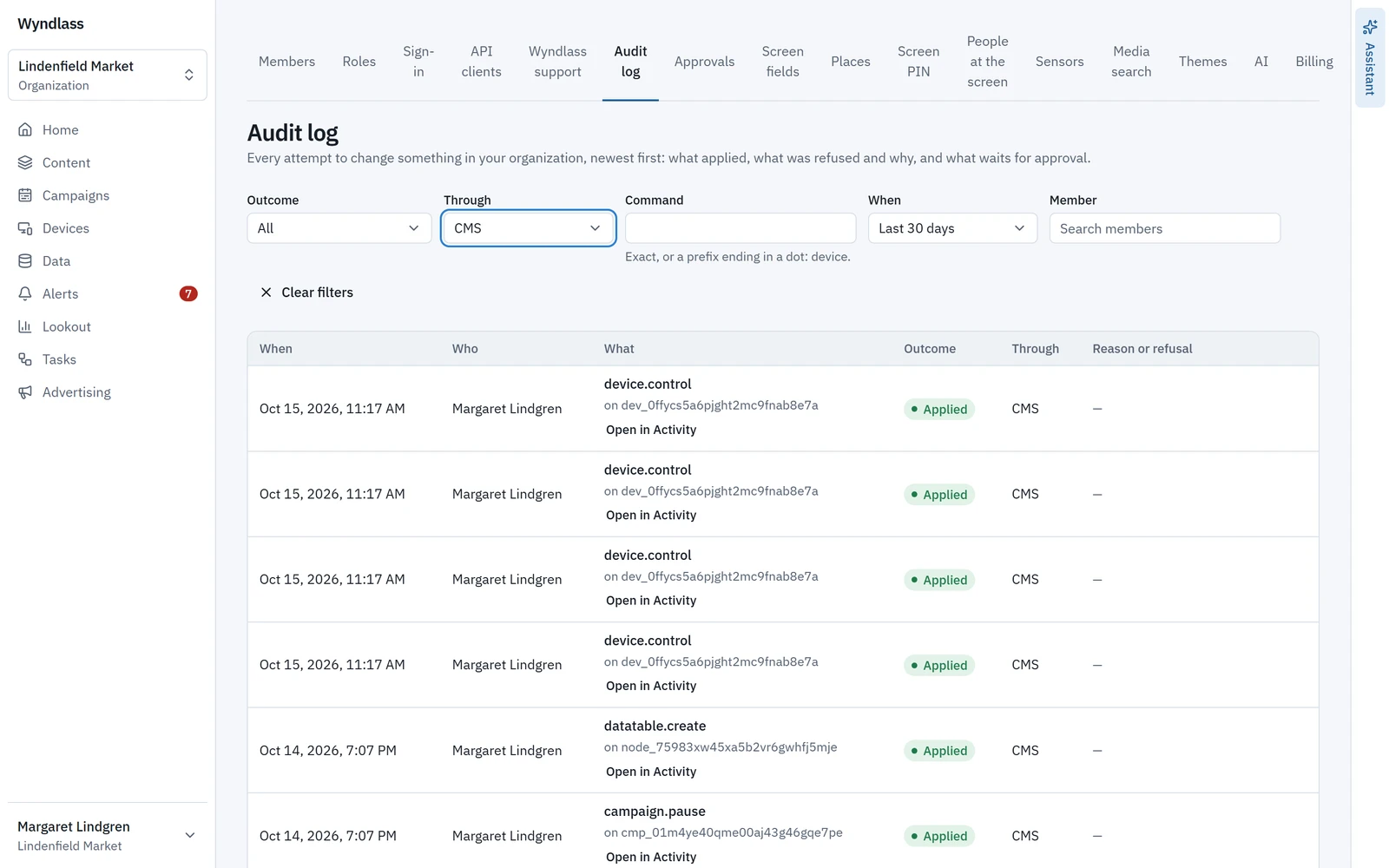
Every action by people and agents is recorded, and branch staff, regional teams, marketing and agencies each see only what they should.
- Audit trail entries for every change and every approval: what, who or what, and when.
- Fine-grained permissions by branch, region and role, for people and agents.
- SAML single sign-on with your identity provider, and organizations to keep regions or agency work separate.
Agents act only within their own permissions, set separately from any person’s.
Across the branch
Every screen in the branch
One platform for every area, each with its own content, rules and people.
Windows
Rates and offers for passers-by, updated as soon as they are approved.
Lobbies and queues
Product information, service updates and financial education while customers wait.
Service counters
Video walls and counter screens with approved, on-brand content.
Self-service areas
Service notices and security reminders.
Staff areas
Internal news, training and policy reminders, kept current by agents.
Built for review
Built for compliance-driven content
Controls that support your review process, for people and AI agents alike.
Approvals before anything goes live
Rates, offers and notices can wait for compliance sign-off.
Permissions for branches, teams and agents
Everyone sees and changes only what their role allows.
Single sign-on
SAML single sign-on with your identity provider, on plans that include enterprise identity.
Audit trail and rollback
A record of every change and approval, and undo in one step.
Financial services: common questions
Can rate and offer changes require compliance approval?
Yes. You decide which changes are high-consequence, and those wait for an authorized approver, such as compliance, before they go live.
Is there an audit trail?
Yes. Every action by people and agents is recorded, including what changed, who or what changed it, who approved it and when. Any change can be rolled back.
Can branches show different products?
Yes. Conditions and branch data decide what each screen shows, so products appear only in branches that offer them.
Does Wyndlass support single sign-on?
Yes. SAML single sign-on with your identity provider is available on plans that include enterprise identity.
Can agencies or regional teams manage their own content?
Yes, within the limits you set. Fine-grained permissions and organizations give each team access to its own screens and content only.
See Wyndlass across your branches
Access is by invitation during launch. Tell us about your network and we will reply by email.