MCP server and API
Your software and AI tools, under the same rules
The CMS runs on the public GraphQL API, and the MCP server gives AI tools about 150 tools that cover what the CMS does. Both work with the same permissions, approvals and audit trail as a person.
You
Which screens at our Fargo sites are offline right now?
Your AI tool
Two screens at Fargo South are offline: Checkout 2 and the café menu board. The other 14 screens at the Fargo sites are reporting.
- Wyndlass fleet tools
- Your permissions
MCP server
Bring your own AI tools
AI assistants and agents connect over the Model Context Protocol, signed in with OAuth as the person they act for.
- About 150 tools cover what the CMS does.
- On connecting, the person picks which toolsets the tool may use: fleet, content, scheduling, data, advertising, analytics, agents or admin.
- Tools get only that person’s permissions, within the place’s limits on where AI may act.
- AI tools can read your organization’s skills, and Claude Code offers each one as a slash command.
- A coding agent can build an app of your own with the app SDK, then import, place and schedule it. A person approves each version.
Every action an AI tool takes is audited as the person it acts for.
How to connect, with examplesGraphQL API
One API for everything
The CMS itself runs on the public GraphQL API, so anything a person can do in the CMS, your software can do too, with the same permissions, approvals and audit trail.
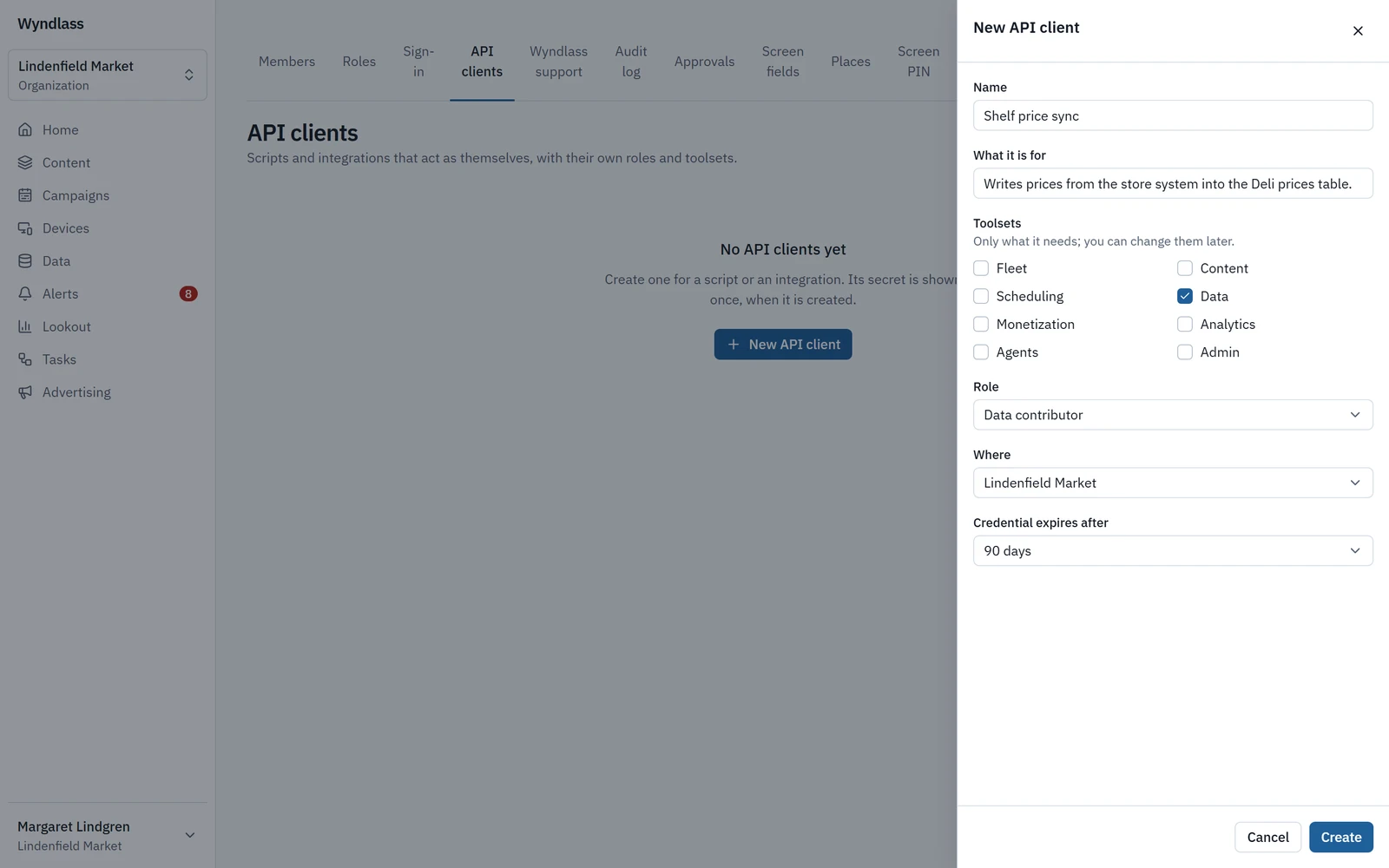
- Make an API client for a system, give it toolsets and a role at a place, and issue credentials that expire after 30, 90, 180 or 365 days.
- Rotate or revoke credentials at any time. The secret is shown once.
- Changes from integrations go through the same approval policies as people and agents.
An API client gets a role at a place, and nothing more.
Webhooks and CSV
Wyndlass calls your systems, too
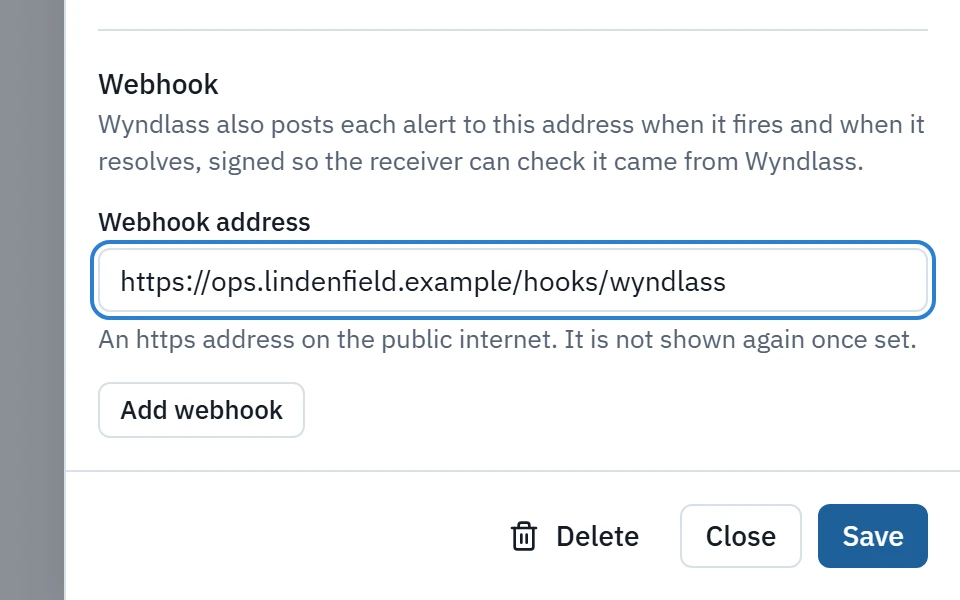
Alerts, approvals and tasks can call your systems with signed webhooks, each with its own signing secret.
- Tasks can also be started by a signed webhook.
- Import and export data tables as CSV, and export reports from Lookout, advertising and tasks.
- Weather, news feeds and calendars come through Wyndlass’s own data service, so screens never hold provider keys.
MCP server
Works with your AI assistant
Wyndlass works with Claude, ChatGPT, Cursor and VS Code through MCP (Model Context Protocol), so you can manage screens, content, campaigns and data from the AI assistant you already use.
Your assistant signs in as you and gets your permissions, never more. Approvals still apply, and every action is in the audit log as yours.
Works with
- Claude
- ChatGPT
- Cursor
- VS Code
And other AI tools that can add a remote MCP server and sign in with OAuth.
Server address
https://mcp.wyndlass.ai/mcp
MCP server and API: common questions
Which AI tools can connect?
AI tools that speak MCP, such as Claude. They sign in with OAuth as the person they act for.
What can an AI tool do through MCP?
About 150 tools cover what the CMS does, grouped into toolsets. The person connecting picks which toolsets the tool may use, and it gets only that person’s permissions.
Can our own software do everything the CMS does?
Yes. The CMS runs on the public GraphQL API, so anything a person can do in the CMS, software can do too, with the same permissions, approvals and audit trail.
How long do API credentials last?
You choose 30, 90, 180 or 365 days, and can rotate or revoke them at any time.
See Wyndlass on your screens
Access is by invitation during launch. Tell us about your network and we will reply by email.