Lookout
Proof of what played, not an estimate
Lookout reports what your screens actually played, as they reported it, and, where you measure, how many people were there to see it.
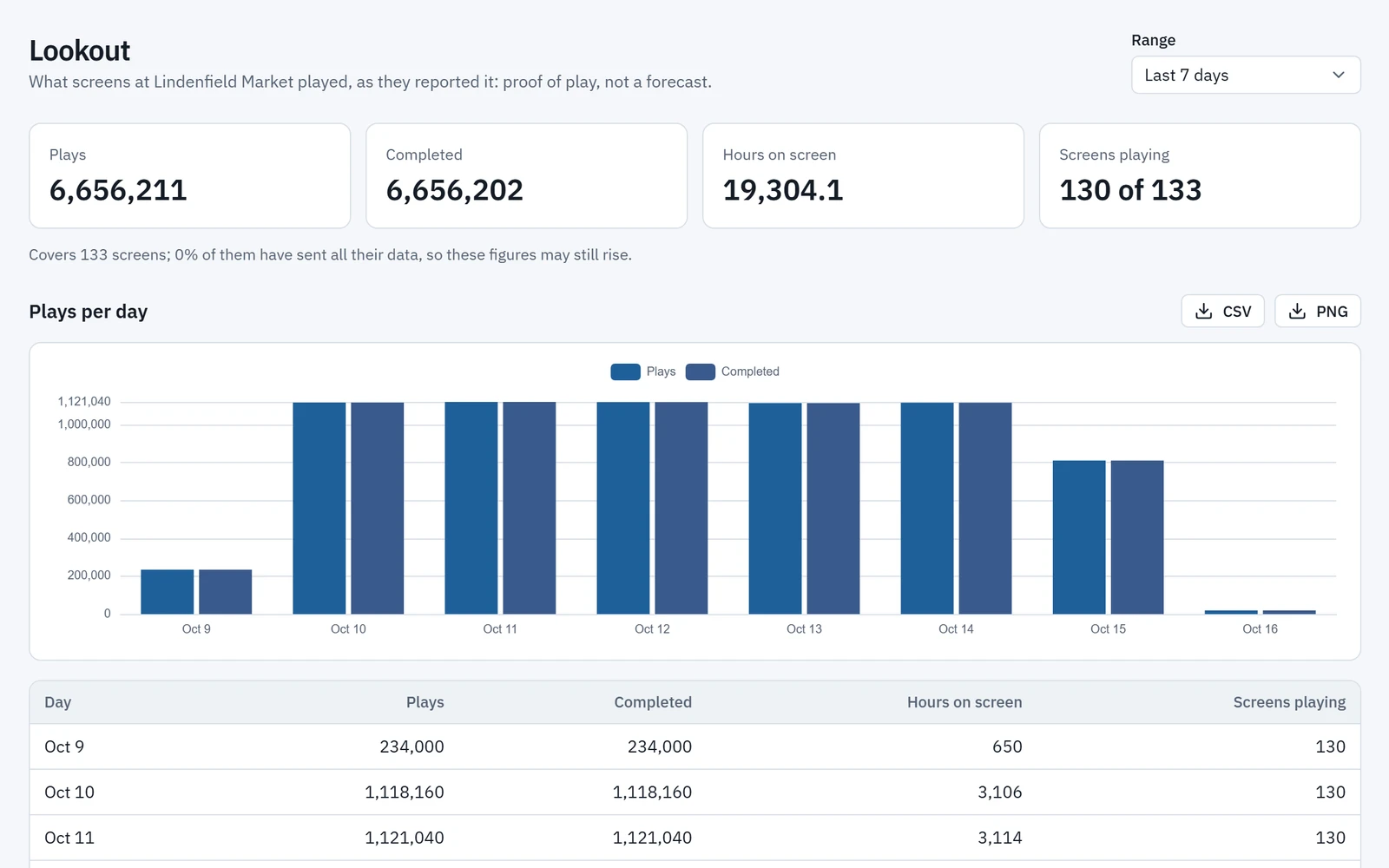
Proof of play
What played, from the screens themselves
Every figure in Lookout comes from what screens reported playing. Each play is chained to the one before it, so a gap or an edit shows.
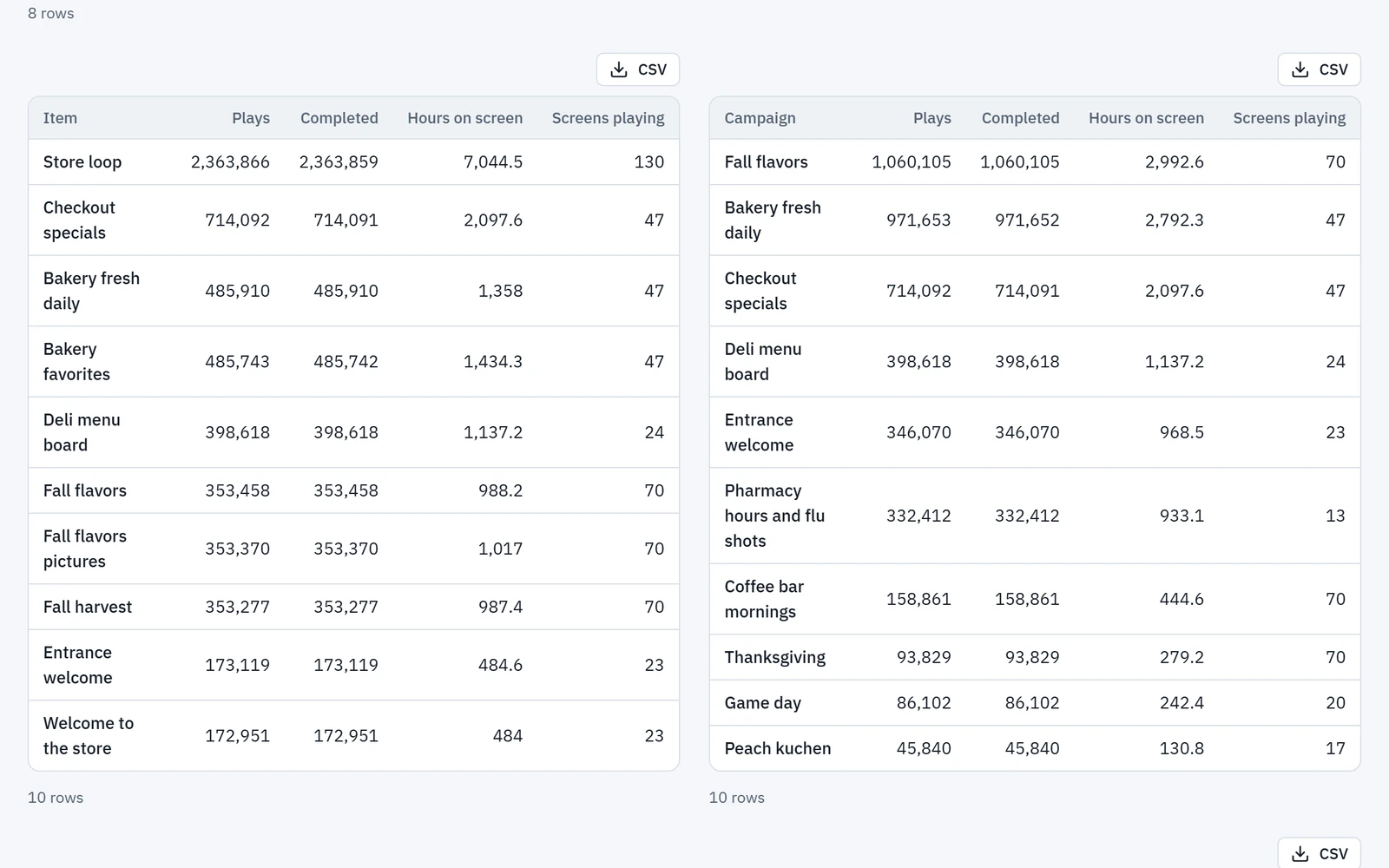
- Plays, completed plays, hours on screen and screens playing, over 7, 30 or 90 days, by item, campaign and screen.
- Every figure says how complete its data is.
- Screens keep proof of play while offline and send it when they reconnect.
- Each play is kept for 13 months, and hourly totals for 25.
Audience measurement
How many people saw it, counted at the screen
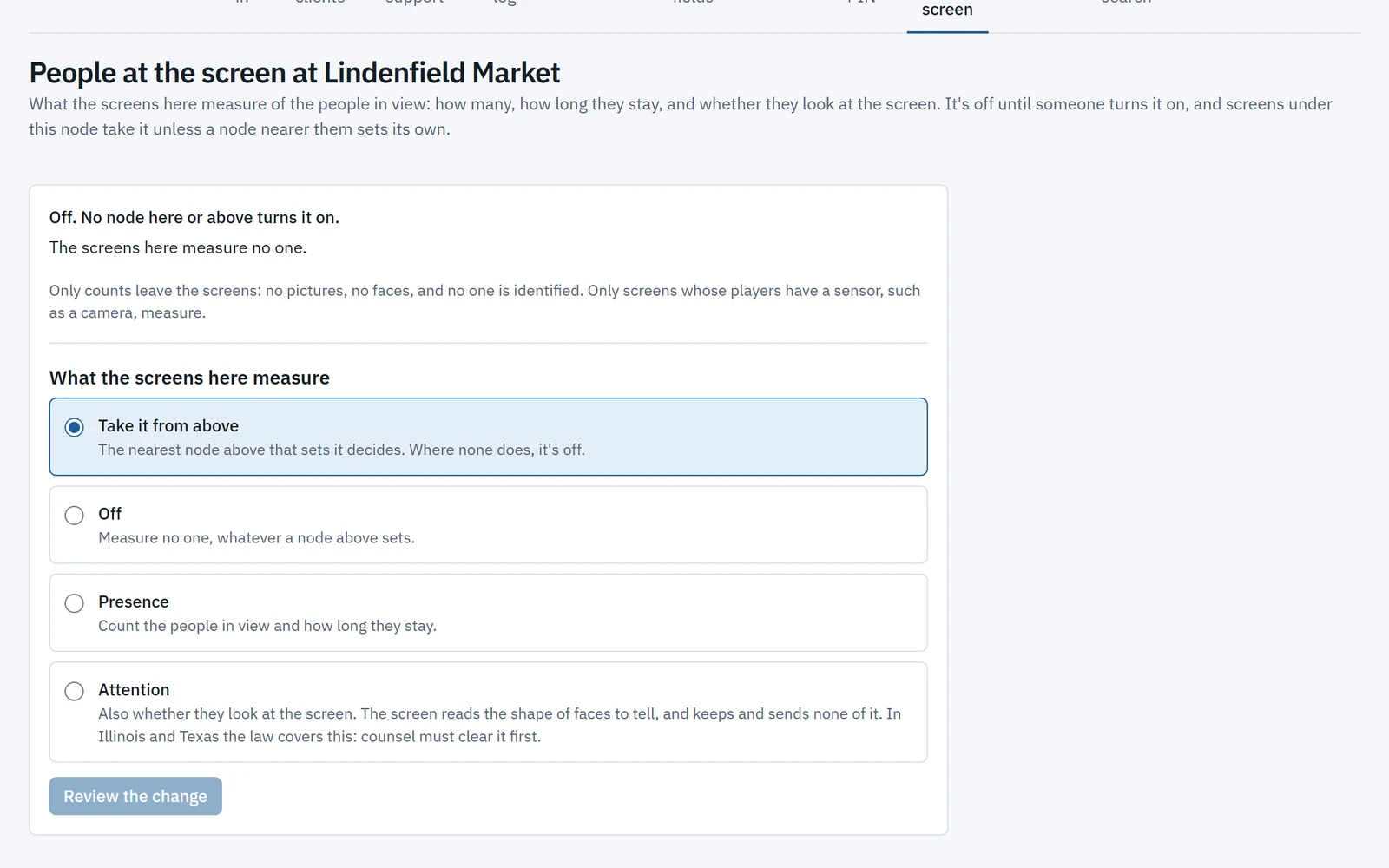
With a camera on an Android player, screens count impressions and viewers and pair them with the plays they saw. Lookout then shows impressions by day, item, campaign and screen, and people by hour of day.
- Each image is analysed on the player and discarded at once. Nothing is stored or sent: only counts leave the screen.
- Off by default and set per place: presence counts the people in view, and attention also counts who looked toward the screen.
- Turning it on asks a person, never an agent, to confirm that the site shows a notice. Attention in Illinois or Texas also needs legal counsel’s clearance.
- Age and gender estimates, only where Wyndlass has approved them for your organization and a place turns them on, with the same notice and clearance.
- No identification, no facial recognition and no emotion detection. Reports keep “not measured” apart from “no one there”.
Measurement stays off until a person turns it on for a place, and age and gender estimates also need Wyndlass’s approval.
Reports
Reports you can take anywhere
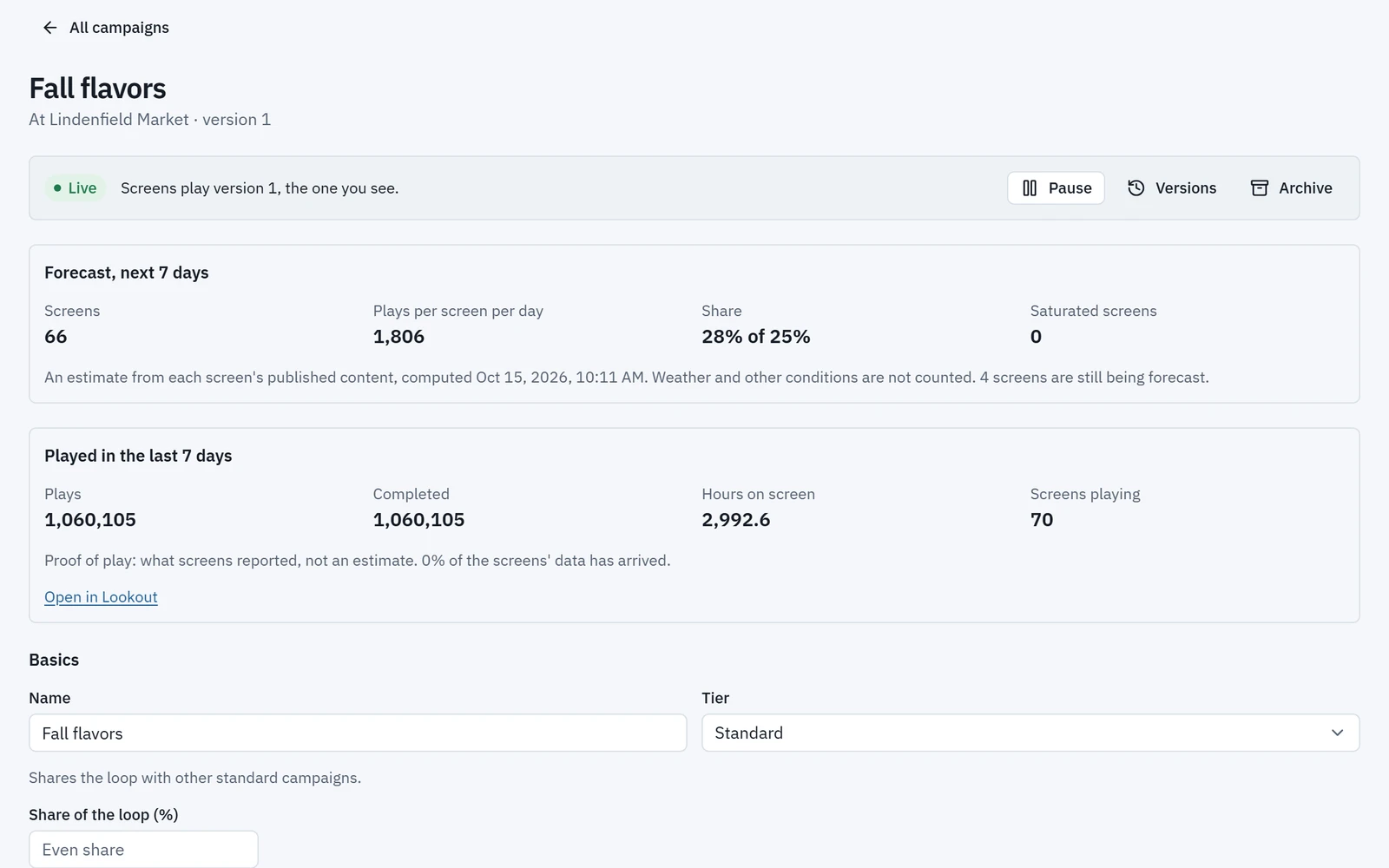
Compare what played with what was planned, and take the figures with you.
- A campaign’s page shows what it played over the last week beside its forecast.
- Sensors show their activations, the minutes they were active and the plays they triggered.
- Export any table as CSV and any chart as a PNG.
- Tasks can send a proof-of-play report by email or webhook on a schedule.
Lookout: common questions
Is proof of play an estimate?
No. Lookout shows what screens actually played, as they reported it. Each play is chained to the one before it, so a gap or an edit shows, and every figure says how complete its data is.
Can Lookout count the people who see our screens?
Yes, on Android players with a camera, at the places where you turn it on. Images are analysed on the player and never stored or sent; only counts leave the screen. Age and gender estimates are gated by approval: Wyndlass must approve them for your organization, and a place must turn them on.
How long is play data kept?
Each play is kept for 13 months, and hourly totals for 25 months.
Can we export reports?
Yes. Any table exports as CSV and any chart as a PNG, and tasks can send proof-of-play reports by email or webhook.
See Wyndlass on your screens
Access is by invitation during launch. Tell us about your network and we will reply by email.