Campaigns
Say what plays. Each screen works out the rest.
Campaigns replace calendar scheduling. You say what plays, where, when and how important it is, and each screen builds its own loop from every campaign that applies to it.
- Time of dayis between11:00 and 14:00
- Weather at the screenisRain
- Soup in stockisYesfrom a data table
- WhereisEvery site in the North region
Instead of every weekday, 11:00 to 14:00 on a calendar
Priority and place
How important it is, and where it goes
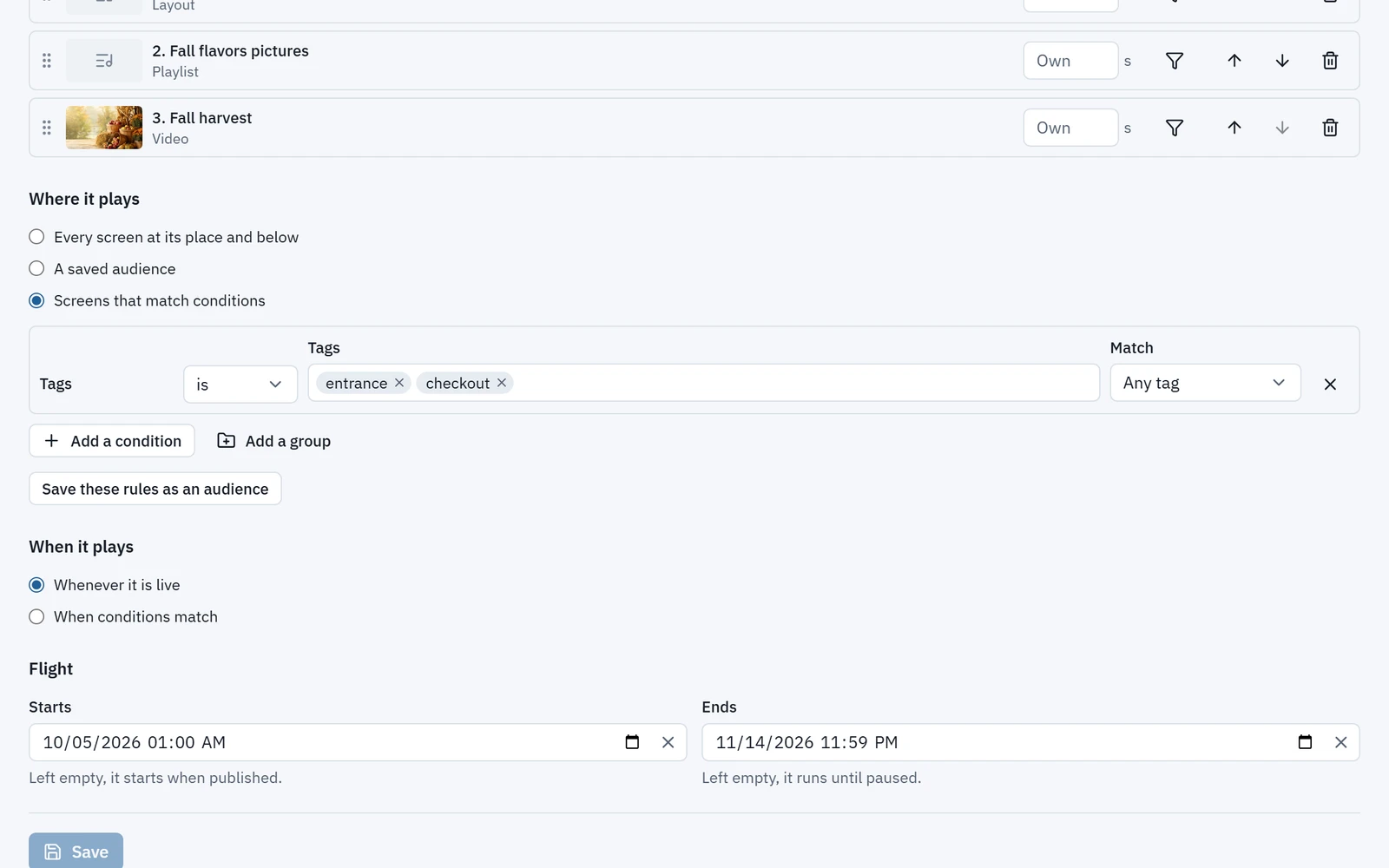
Give each campaign a tier and aim it at the screens it is for, by place, by saved audience or by rules.
- Tiers from Takeover and Required to Standard, with its share of voice, and Fill. Ad break joins them with the media owner add-on.
- Aim at everywhere under a place, a saved audience, or rules built from tags, screen type, orientation, your own screen fields and distance from a point.
- Rules combine with all or any, nested three deep.
- Save a set of rules as an audience once, see how many screens it reaches now, and aim campaigns at it.
Conditions
Conditions, not calendar slots
Say when a campaign may play and let every screen decide for itself, with no slots to keep up to date.
- Dates, time of day, days of the week, how often, the weather at the screen, a sensor or a data table’s value.
- Each playlist or campaign entry can have its own when and where.
- An optional flight sets a campaign’s start and end.
- Time of dayis between06:00 and 11:00
- DaysareMonday to Friday
- Weather at the screenisSnow
Instead of a winter slot you move by hand
Publish and forecast
Know what will happen before you publish
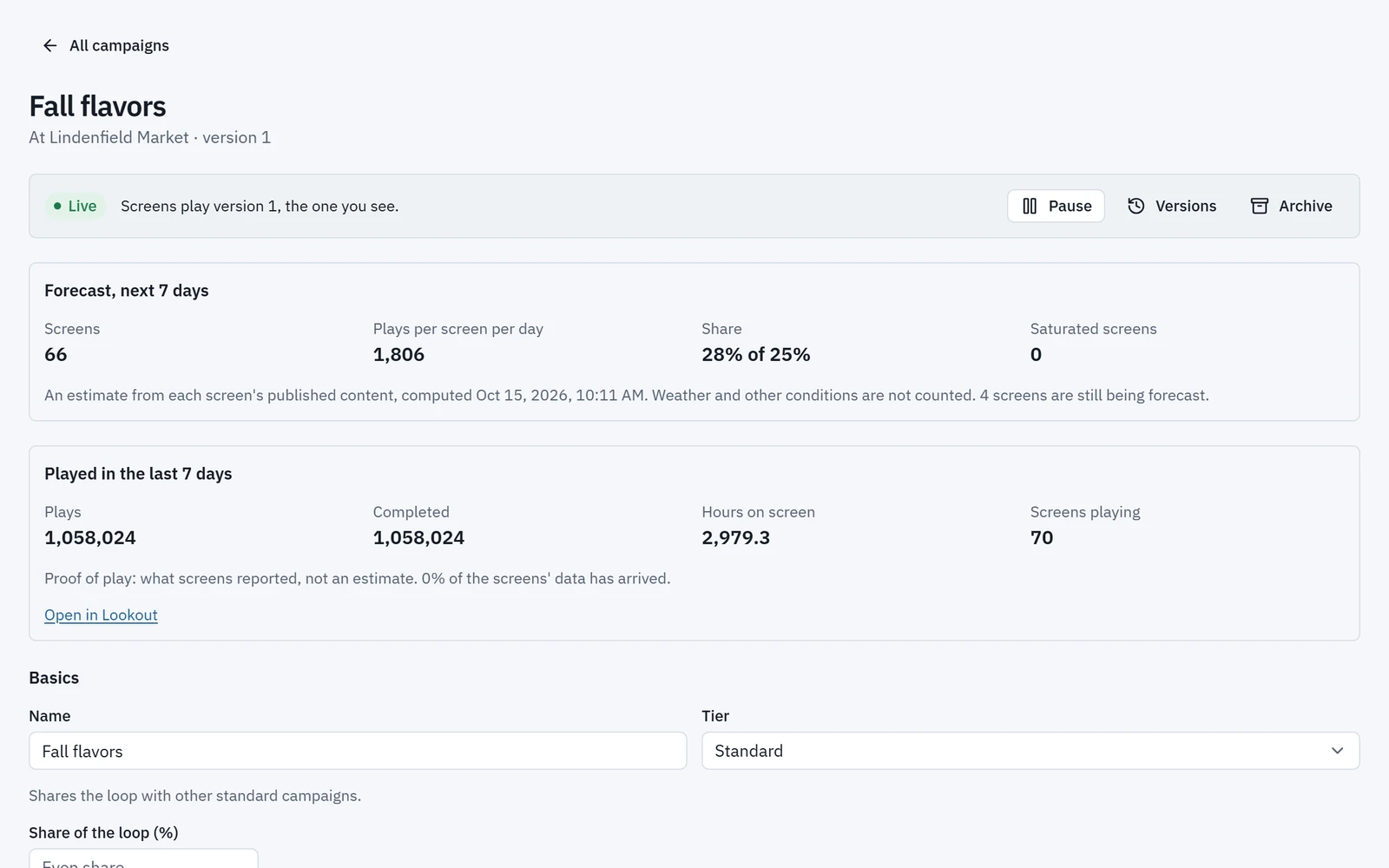
Before publishing, Wyndlass says how many screens a campaign reaches and whether it needs approval. Once it is live, forecasts show how it will play.
- Forecasts show the screens it reaches, plays per screen per day, its share against its target and the screens too full to fit it.
- Coverage shows which screens have content and which have only fill or nothing.
- Each screen’s page shows what plays now and over the next hour or day and, for any moment, why each other campaign is not playing.
- Pause and resume in one click. Saving a layout or playlist republishes the screens that show it, about 5 seconds later.
Campaigns that need approval wait for it, and every campaign and audience keeps its versions, so you can revert.
Campaigns: common questions
How is a campaign different from a schedule?
A schedule fixes slots on a calendar. A campaign says what plays, where, when and how important it is, and each screen works out its own loop from every campaign that applies to it.
Can content change with the weather or our own data?
Yes. A campaign or playlist entry can play by the weather at the screen, a sensor or a data table’s value, as well as by date, time and day.
How do we know a campaign will fit?
Forecasts show the screens a campaign reaches, its plays per screen per day, its share against its target and the screens too full to fit it.
How quickly do changes reach screens?
Saving a layout or playlist republishes the screens that show it, about 5 seconds later.
See Wyndlass on your screens
Access is by invitation during launch. Tell us about your network and we will reply by email.