Content library
Every file, ready for any screen
Upload once and Wyndlass prepares each file for the screens that show it. Find anything by describing it, hold new media for review, and set when each item may play.
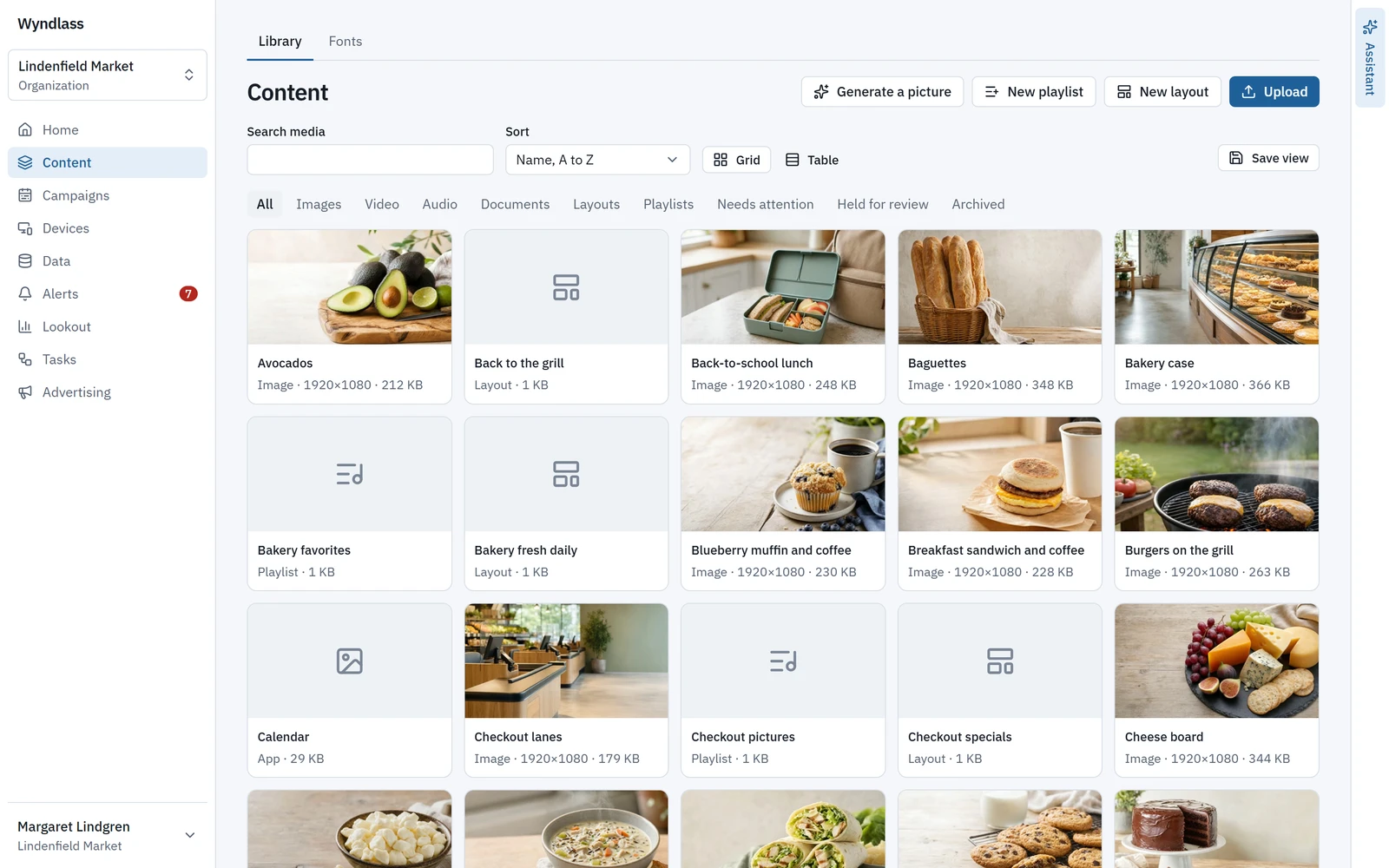
Uploads
Drop it in, and it is ready to play
Drag and drop up to three files at a time. Every upload is scanned for malware, deduplicated and turned into the renditions and stills screens need.
- Images (JPEG, PNG, WebP, GIF), video (MP4, MOV, WebM) and audio (MP3, M4A/AAC, WAV).
- Up to 5 GB, 7,680 pixels a side or 4 hours a file.
- A PDF or PowerPoint (.pptx) file, up to 500 MB and 200 pages, becomes one image per page in HD and 4K, so any screen can show it without an office app.
Search by meaning
Find it by describing it
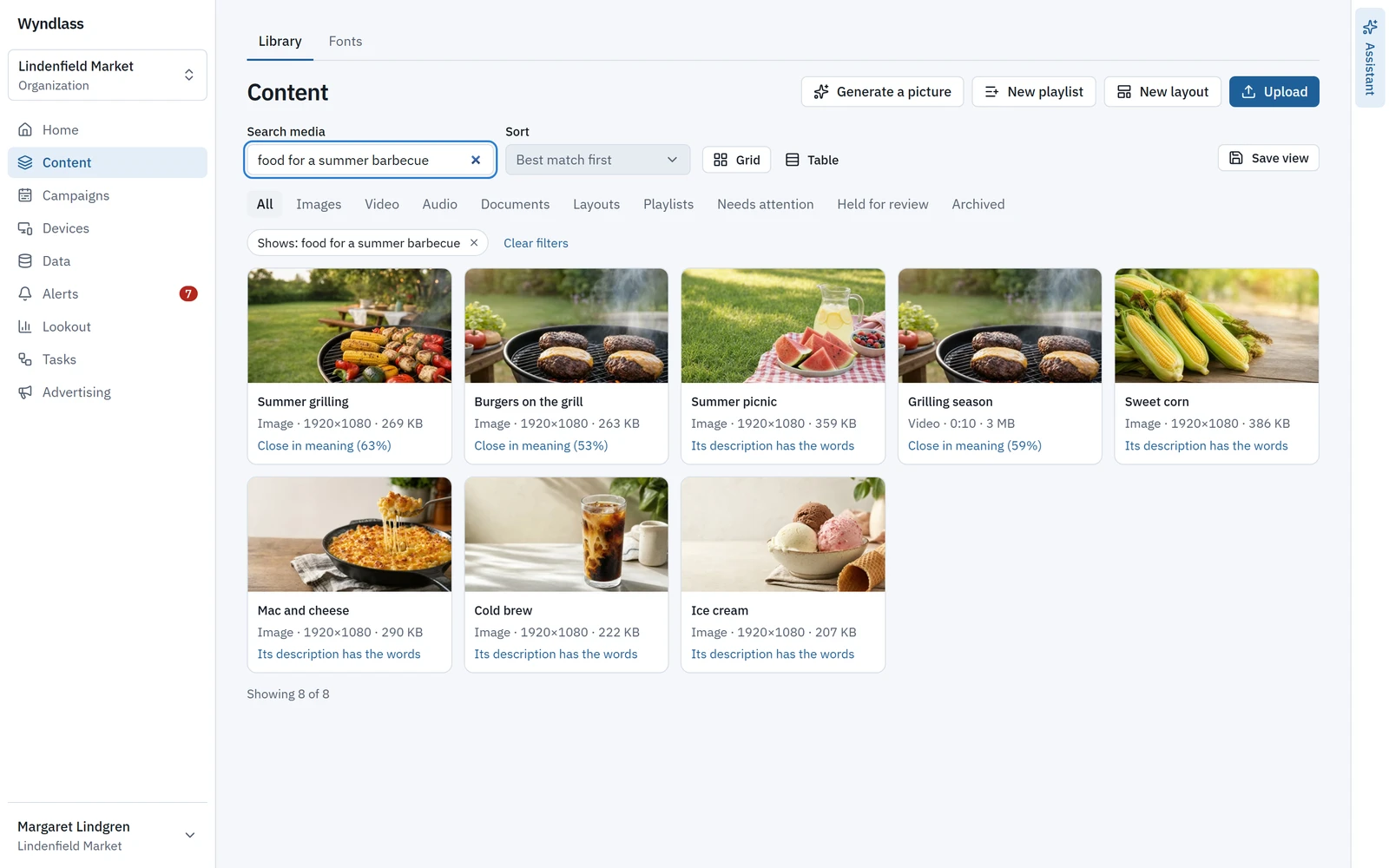
Type what a picture shows, like “bears in a forest”, and the library finds it, best match first, and says why each item matched.
- AI writes each item’s description. A person can edit it, and their words win.
- Built-in views, saved views (private or shared), filters and links that open a given item, as a grid of pictures or a table.
- Make an image from a prompt, in the shape you need, straight into the library. The cost in AI credits is shown first.
A person’s description always wins over the one AI wrote.
Review and dates
Nothing plays before it should
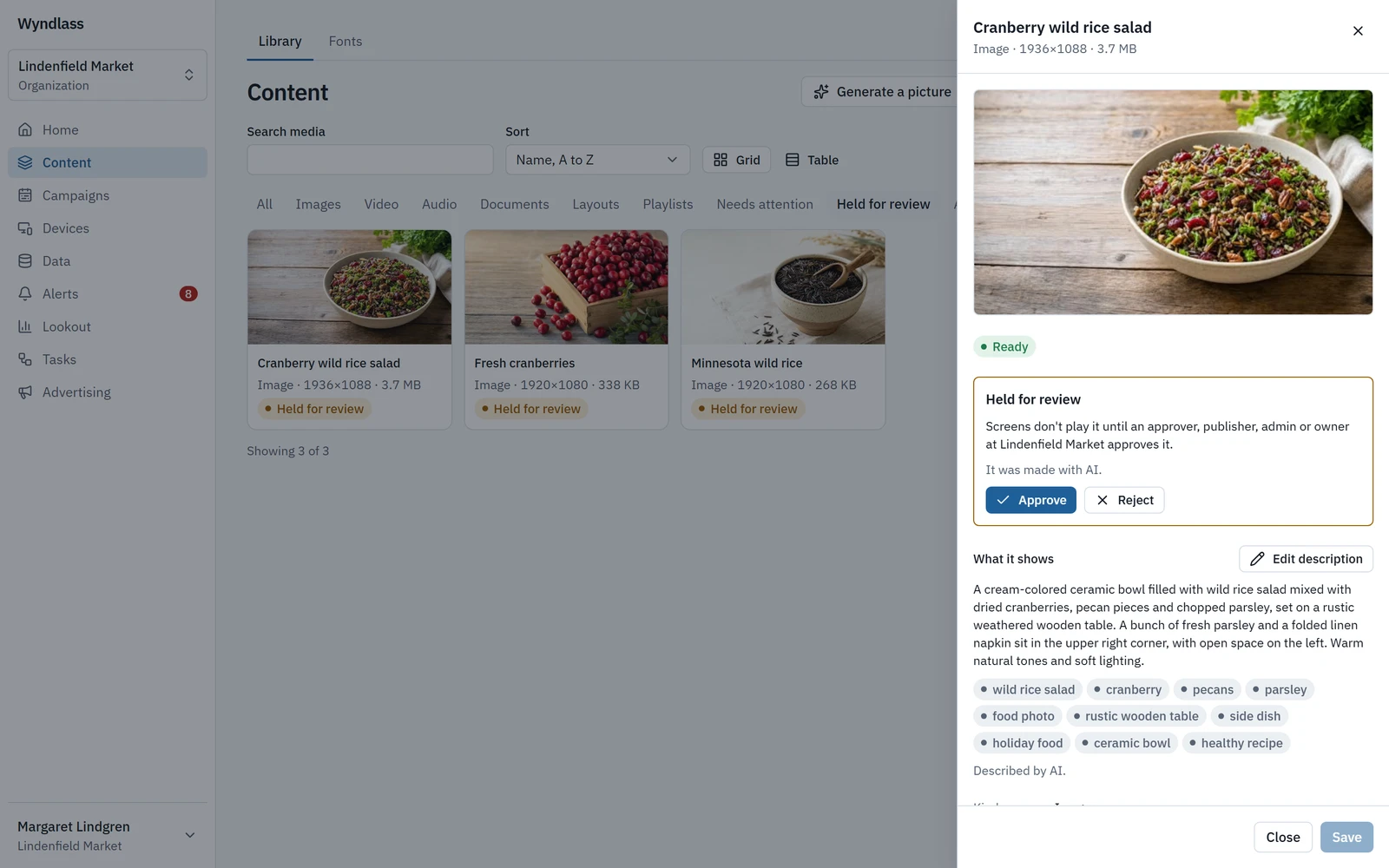
Hold new media for review, and give any item a start and an end, so content appears and comes down on time.
- A place can hold new media, or only media made by AI, until someone who may publish approves it. Nothing held plays anywhere.
- An item with dates plays only between them, wherever it plays: in a playlist, a layout, a campaign or an ad.
- Screens keep to the dates offline, and forecasts follow them too.
Only someone who may publish can release held media.
Also in the library
Organised from upload to archive
Playlists
Add items, order them by dragging or with the keyboard, set each item’s seconds, and give any entry its own conditions.
Fonts
About 1,800 Google Fonts families, or upload your own, with a licence confirmation. A page lists every font’s licence.
Versions
Every item keeps its versions, and any of them can be restored.
Archive, then purge
Archiving warns you what uses an item and how many screens it leaves. Archived items can be restored for 30 days.
One library
Images, video, audio, documents, layouts and playlists in one place.
Content library: common questions
Which file types can we upload?
Images (JPEG, PNG, WebP, GIF), video (MP4, MOV, WebM) and audio (MP3, M4A/AAC, WAV), up to 5 GB, 7,680 pixels a side or 4 hours a file, plus PDF and PowerPoint documents.
Can screens show PDF and PowerPoint files?
Yes. A PDF or PowerPoint (.pptx) file, up to 500 MB and 200 pages, becomes one image per page in HD and 4K, so any screen can show it without an office app.
How does search by meaning work?
Type what a picture shows and the library finds it, best match first, and says why each item matched. AI writes each item’s description; a person can edit it, and their words win.
Can new media wait for approval before it plays?
Yes. A place can hold new media, or only media made by AI, until someone who may publish approves it. Nothing held plays anywhere.
See Wyndlass on your screens
Access is by invitation during launch. Tell us about your network and we will reply by email.