Illustrative scene, AI-generated
Corporate and workplace
Every office screen, current and on message
Wyndlass agents publish news, events and notices across every office, build recurring content like birthdays and event calendars, and keep each team inside its own permissions, with SAML single sign-on.
The challenge
Workplace screens go stale fast
Every office has lobby, corridor and break-room screens, and nobody has time to keep them all current.
Stale screens lose attention
Last month’s event on a lobby screen tells everyone the screens are not worth reading.
Many offices and teams
HR, facilities, IT and leadership all want their messages on screen, in the right places.
Recurring content takes time
Birthdays, anniversaries, events and menus need updating every week.
Security and access
Screens need to fit your identity provider and access policies, not work around them.
Internal communications
Publish to every office in one request
Tell an agent what to share. It finds the right screens by office, floor or team, builds the schedule and routes it for approval when needed.
- Target content by office, floor, team or any property you track.
- Schedule announcements, events and campaigns for the right dates, in each office’s time zone.
- Retire old content on schedule, so screens never show last month’s news.
Company-wide and leadership messages can require approval from internal communications.
You
Share the all-hands announcement on lobby and break-room screens in every office from Monday to Thursday, in each office’s time zone.
Wyndlass agent
That’s 74 screens in 9 offices across 4 time zones. Company-wide messages need approval from Internal Communications, so I’ve sent the request. It’s scheduled for 8:00 a.m. local time on Monday.
- 9 offices
- 74 screens
- Approval requested
Approval
A. Novak (Internal Communications) approved the message. Scheduled. Rollback available.
Content and scheduling
Recurring content, built for you
Agents generate recurring content, like birthdays, work anniversaries and event calendars, and schedule each item for the right dates.
- Celebrate birthdays and anniversaries from an HR data table, office by office.
- Keep event calendars and cafeteria menus current from your data tables.
- Triggered tasks update screens when a data table changes, such as a new starter or an office closure.
Rules decide what is shared and where, so you can respect each person’s choices. Every automated change is audited.
- BirthdayisTodayfrom an HR data table
- Celebration opt-inisYesfrom an HR data table
- OfficeisThe person’s office
- Screen zoneisBreak room
Instead of updating a slide by hand every morning
Enterprise identity
Fits your identity and access policies
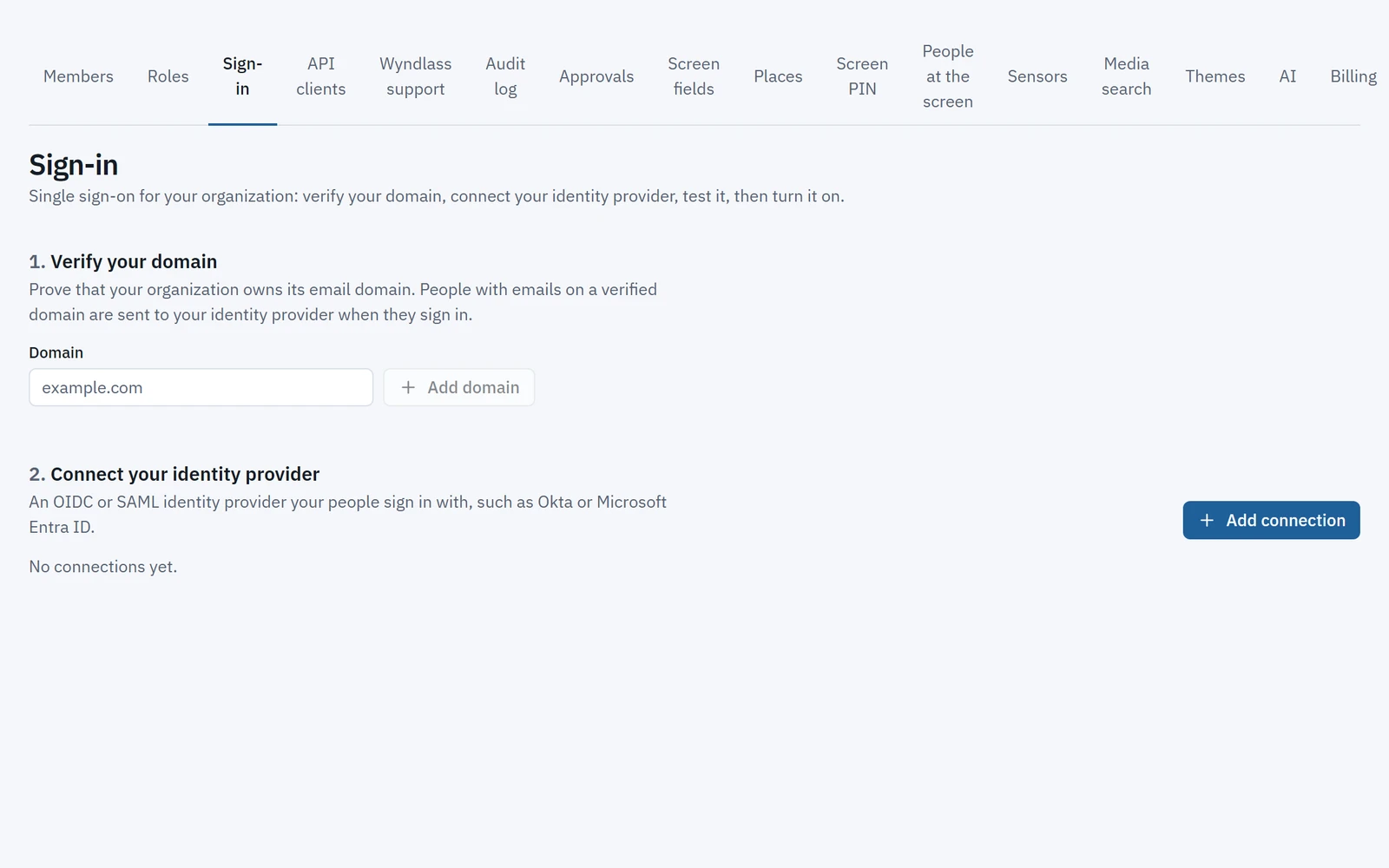
Sign in with your identity provider, give each office and team its own space, and keep agents inside clear limits.
- SAML single sign-on with the identity provider you already use.
- Multi-level organizations for regions, offices and teams.
- Fine-grained permissions for people and agents, with a full audit trail.
Enterprise identity features are available on plans that include them.
Across the workplace
Every screen in the office
One platform for every area, each with its own content, rules and people.
Lobbies and reception
Welcome visitors and share company news.
Elevators and corridors
Short updates, events and safety notices where people pass.
Break rooms and cafés
Menus, celebrations and team news.
Meeting areas
Floor directions and event information for visitors and staff.
Operations and facilities
Key figures and notices from your data tables, for teams on site.
Enterprise-ready
Enterprise controls, built in
The same controls that govern your people govern every agent.
Single sign-on
SAML single sign-on with your identity provider.
Offices and teams as organizations
Each with its own screens, content and people.
Fine-grained permissions
Teams change only their own screens. Agents only do what their role allows.
Approvals, audit and rollback
Company-wide messages wait for sign-off, and any change can be undone.
Corporate: common questions
Does Wyndlass support single sign-on?
Yes. SAML single sign-on with your identity provider is available on plans that include enterprise identity.
Can each office or team manage its own screens?
Yes. Organizations and fine-grained permissions give each office or team its own screens and content, while internal communications keeps oversight.
Can agents create recurring content like birthdays and events?
Yes. Agents build recurring content from your data tables and schedule it for the right dates, and rules decide what is shared and where.
Can company-wide messages require approval?
Yes. You decide which messages are high-consequence, and those wait for an authorized approver before they go live.
Can content follow each office’s time zone?
Yes. Schedules and agent jobs run in each location’s local time, so a 9 a.m. announcement appears at 9 a.m. everywhere.
See Wyndlass across your offices
Access is by invitation during launch. Tell us about your network and we will reply by email.