Layout designer
Design for the screen, on the screen’s own engine
The designer draws its canvas with the same engine the players use, so what you see is what plays. An AI assistant drafts with you, and each layout adapts to every screen it runs on.
The canvas
What you see is what plays
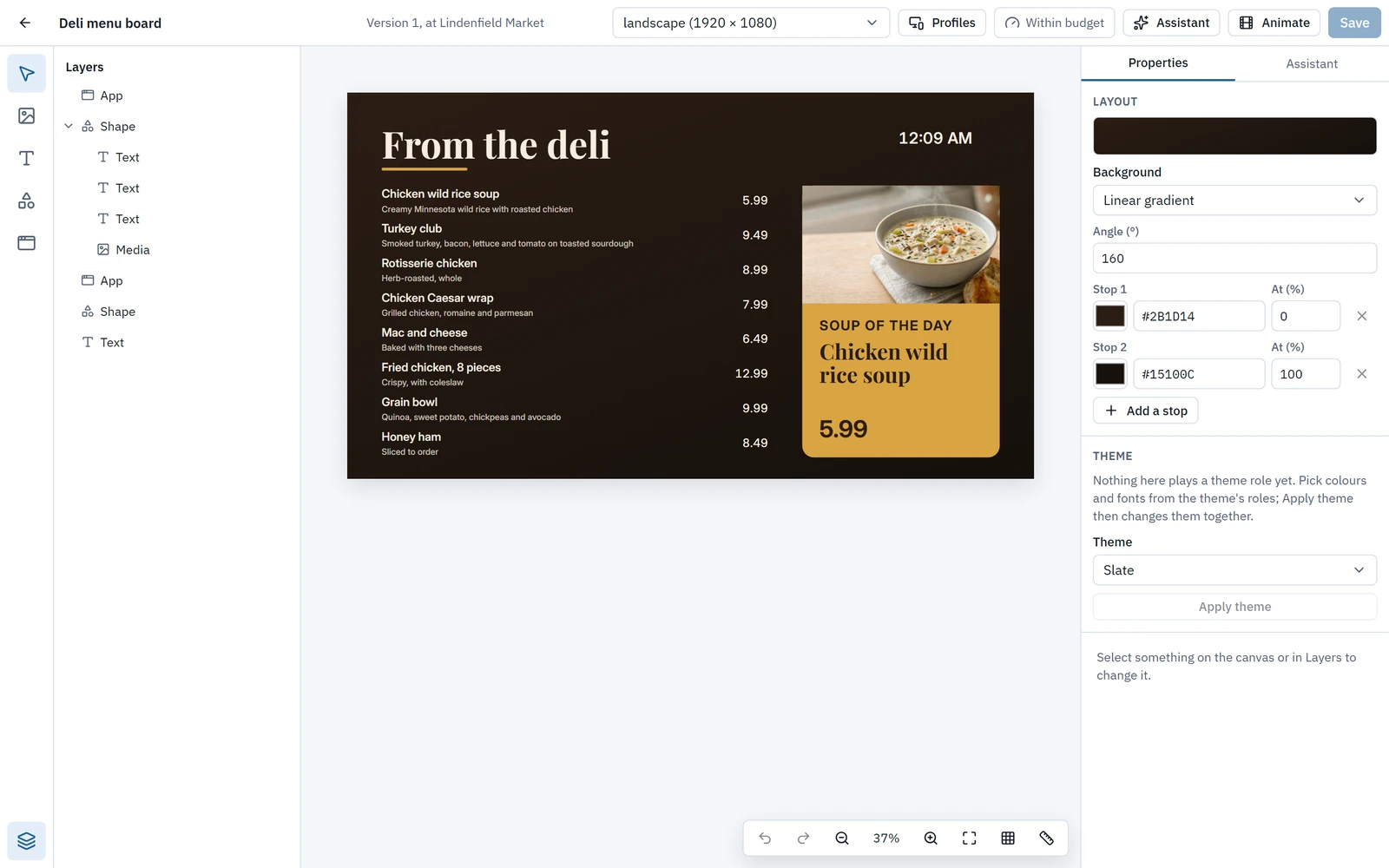
A layout looks the same in your browser as on the screen, because both are drawn by the same engine. Apps run live on the canvas while you work.
- Text, shapes, pictures, video, playlists, apps, and layouts inside layouts, with layers you can rename, hide, lock, reorder and nest.
- Handles to size and rotate, marquee selection, snapping with equal gaps, an optional 8-pixel grid, and align and distribute.
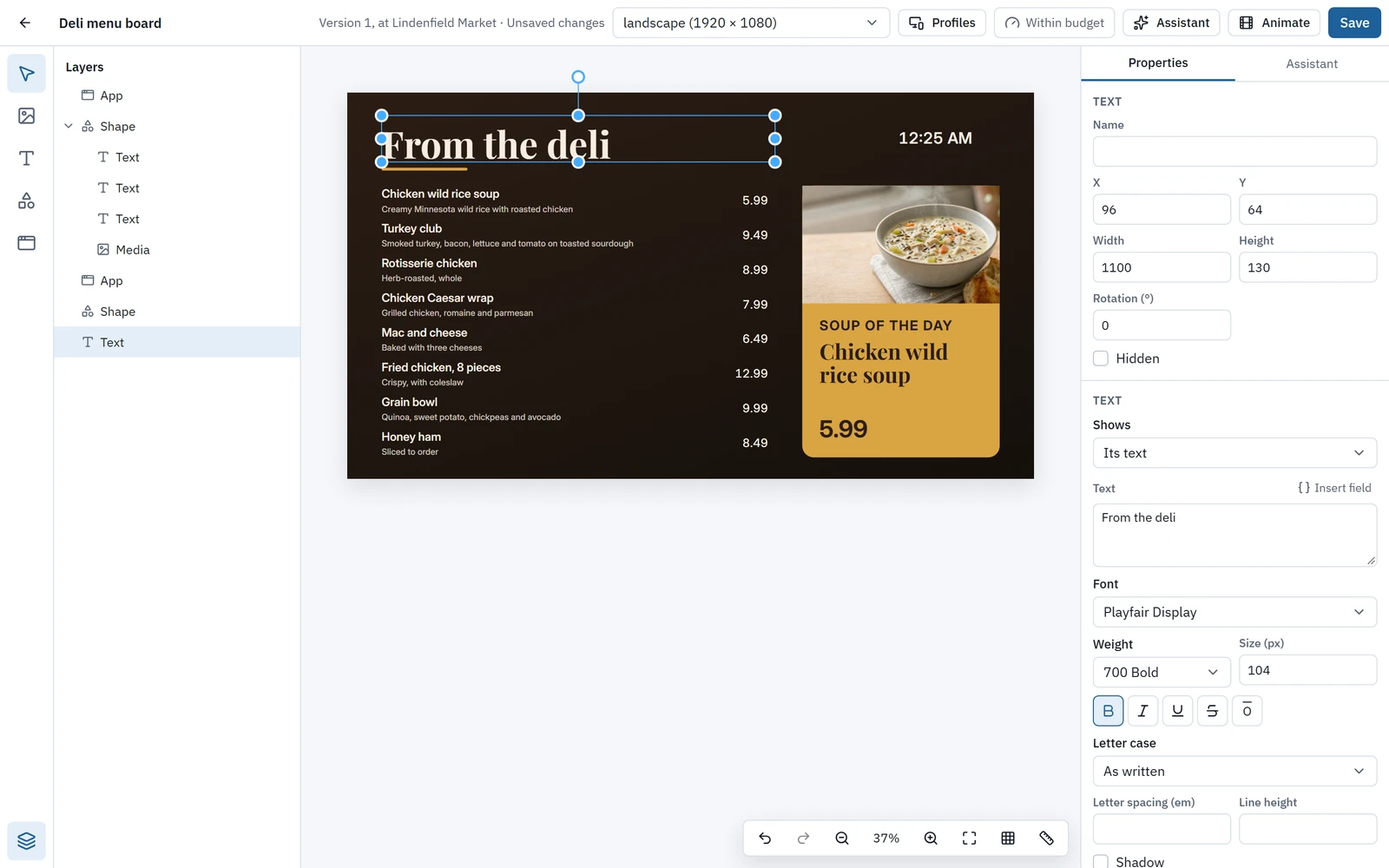
- Text edited in place with a formatting toolbar: family, weight, style, letter case, spacing, line height and shadow, for text and apps alike.
- Backgrounds in a colour, or a linear or radial gradient with 2 to 8 stops. A right-click menu and full keyboard shortcuts, with undo and redo.
AI in the designer
Start from a sentence, finish by hand
Ask the designer’s assistant for a layout, an edit, a background picture or the data table a layout needs. Every answer is a suggestion you apply or discard.
- The new-layout wizard asks what the layout is for, from 12 uses including retail, restaurants, corporate, healthcare, education, hospitality and transit, then a theme and an optional prompt, and offers three layouts to choose from.
- Make a picture from a prompt, in the shape you need, straight onto the layout or into the library. The cost in AI credits is shown first.
- Without AI, the wizard gives you a starter layout for the same use.
- The designer’s assistant follows your organization’s skills too, such as your brand rules.
Nothing changes until you apply it, and each applied answer is one undo step.
Animation
Motion, timed to the moment
Give each element enter, emphasis and exit clips, from presets or your own keyframes, then scrub the timeline to any moment and see it exactly as screens will.
- Easing curves for natural movement, and stagger so elements arrive one after another.
- A Reduced motion preview shows how the layout plays with motion turned down.
- Every element can animate, apps included.
Themes and fonts
On brand on every screen
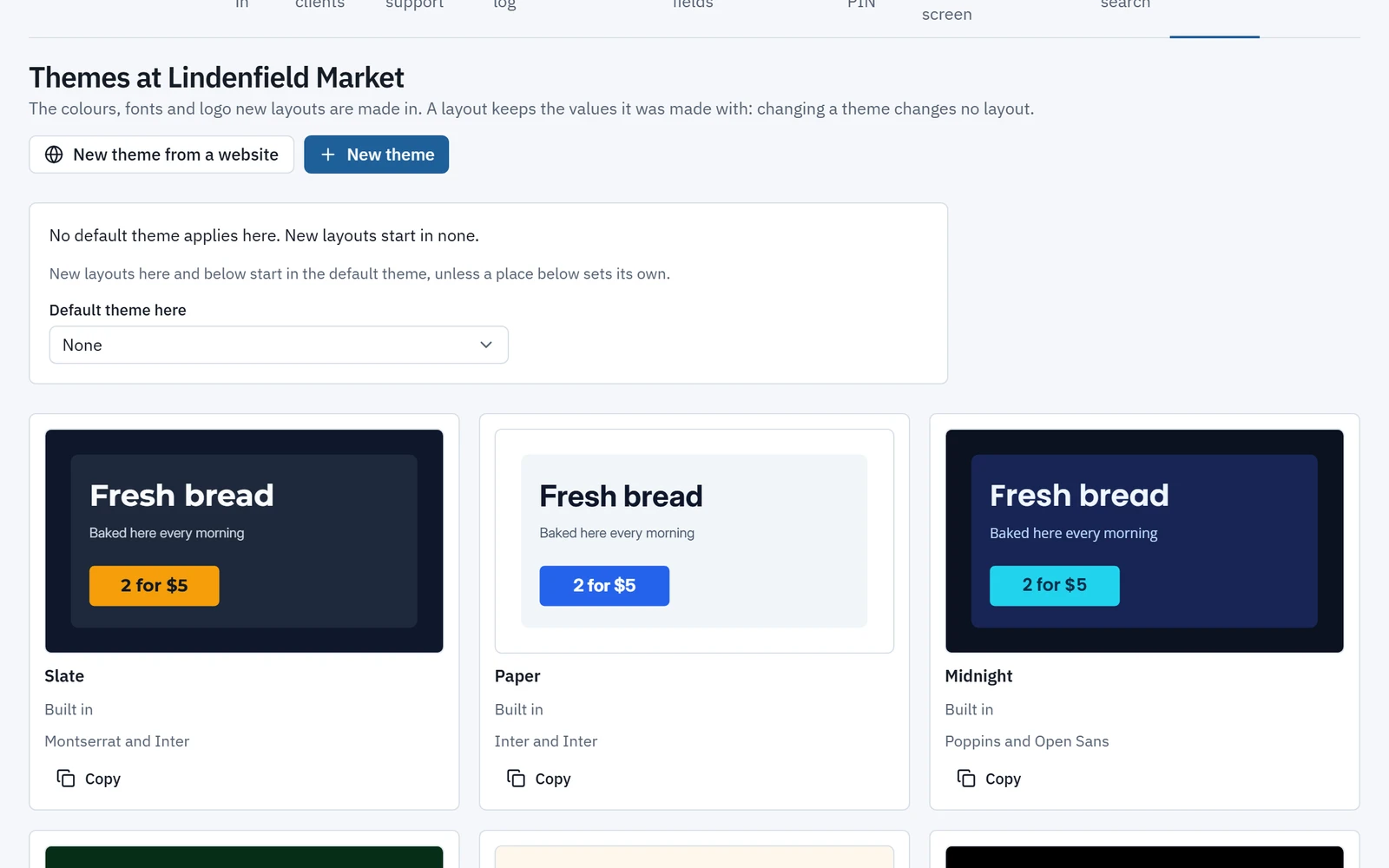
Pick one of eight built-in themes or make your own from six colours, two fonts and a logo, then apply it to a layout in one step.
- Make a theme from your website: Wyndlass reads its colours, fonts and logo, and you review them before saving.
- Contrast is checked as you type, so text keeps to 4.5:1.
- About 1,800 Google Fonts families, copied into your workspace on first use so screens never call Google.
- Upload your own WOFF2, WOFF, TrueType or OpenType fonts, up to 10 MB, with a licence confirmation. A page lists every font’s licence.
Every screen
One layout, many screens
Design once, and let each screen fill in the rest.
Landscape, portrait and video walls
Profiles for landscape and portrait in HD and 4K, and for video walls. Each can move, size or hide elements without copying the layout.
Screen facts
Insert a screen’s name, site or location, a data table’s value or your own fields, such as a store number, so one layout fills in differently on every screen.
Checked before it ships
A budget meter shows whether a layout will run well on each type of screen. Warnings appear before you save, and never block a save.
Every screen’s own language
Screens show dates and times in their own language and time zone, set for each place.
Versions
Every layout keeps its versions, and any of them can be restored.
Layout designer: common questions
Does a layout look the same on the screen as in the designer?
Yes. The designer’s canvas is drawn by the same engine the players use, and apps run live on the canvas, so a layout looks the same in the browser as on the screen.
Can one layout work on landscape and portrait screens?
Yes. Profiles for landscape and portrait in HD and 4K, and for video walls, can each move, size or hide elements without copying the layout.
Do we have to use the AI assistant?
No. Every tool works by hand, and the new-layout wizard gives you a starter layout without AI. When you do use the assistant, nothing changes until you apply its suggestion.
Can we use our own fonts and brand?
Yes. Upload WOFF2, WOFF, TrueType or OpenType fonts up to 10 MB with a licence confirmation, or use about 1,800 Google Fonts families. Themes hold your colours, fonts and logo, and Wyndlass can build one from your website for you to review.
What if a layout is too heavy for a screen?
A budget meter shows whether a layout will run well on each type of screen. Warnings appear before you save, and they never block a save.
See Wyndlass on your screens
Access is by invitation during launch. Tell us about your network and we will reply by email.