AI assistant and agents
AI that works inside your rules
The assistant sits on every page of the CMS and can do what the CMS does. Named agents run tasks on a schedule or on events. Skills you write teach both your own rules and routines, and all of it works inside the permissions, approvals and limits you set.
The assistant
An assistant on every page
A chat panel at the edge of the CMS that can do what the CMS does: find screens, explain what is playing, build content and run commands. It works at the place you are in.
- It acts with your own permissions, never more.
- A change it proposes waits in a card for you to confirm.
- AI never sees secrets (credentials, tokens, PINs), never grants roles or changes AI limits and approval policies, and never approves its own change.
Approvals and each place’s rules for AI apply to every change the assistant proposes.
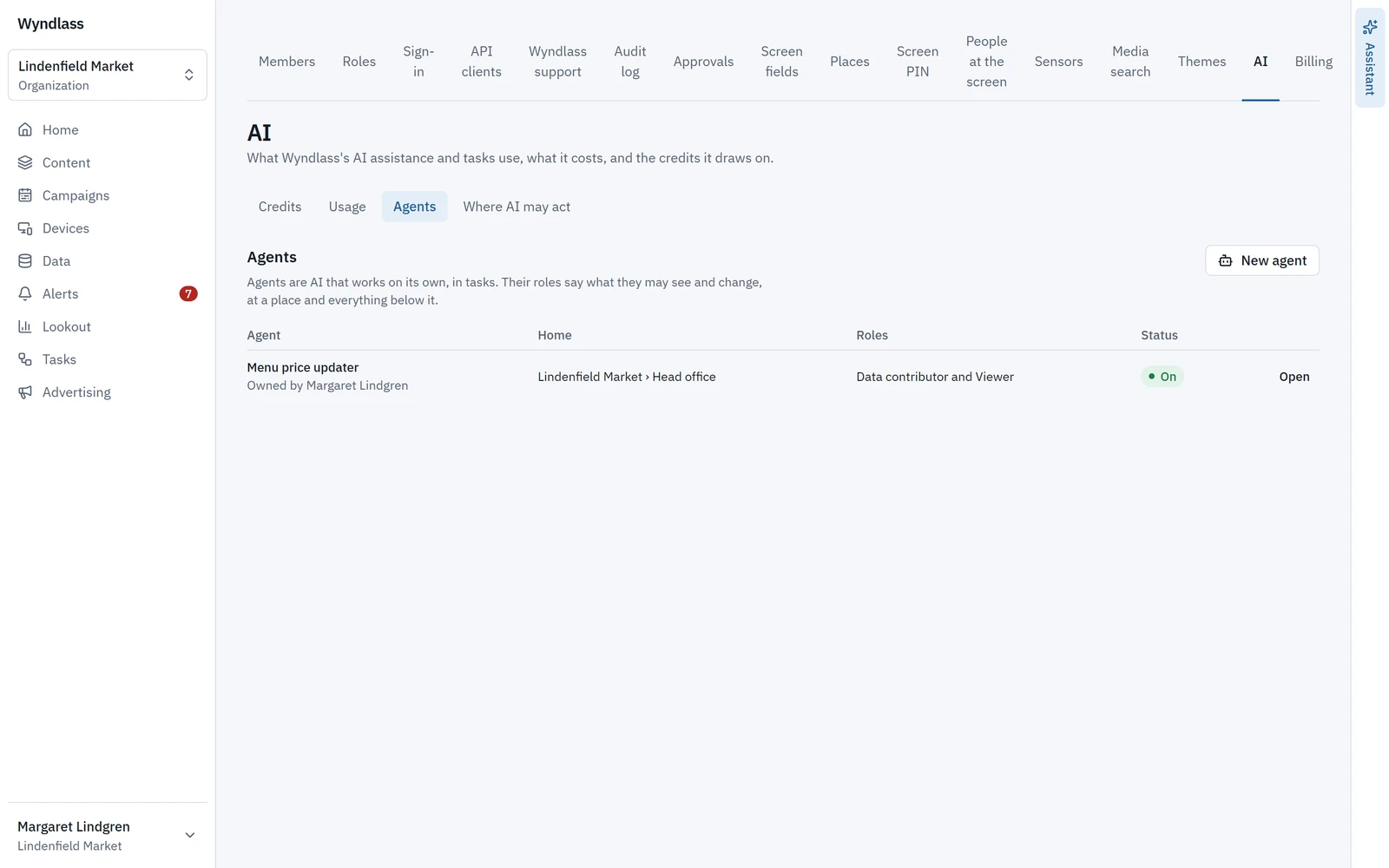
Agents
Named agents for routine work
An agent is a named AI identity with an owner, a home place and roles, that runs tasks on a schedule or on events.
- Presets give an agent read-only, content, publishing or screen-operating roles.
- An agent can never be an owner, admin, approver or billing admin.
- A task’s agent can analyze only, propose every change for approval, or act.
- Every agent action is in the audit log as “agent X on behalf of Y”, and the people who manage a task can read its full transcript.
Nobody, person or agent, approves their own change.
Skills
Teach the AI how you work
A skill is a short guide your organization writes for its AI, in your own words: your brand rules, how a price change is checked, what to do when a screen goes offline. The assistant, agents and the AI tools you connect read a skill when the work matches it, and follow it.
- Each skill has a name, a line on when to use it, steps in Markdown and up to 10 reference files, such as a price list.
- A skill kept at a place applies there and below: brand rules at the top of your organization, a region’s routine at that region.
- Choose up to three for a message to the assistant. A task that runs an agent’s prompt can name up to five, and each run lists the skills it followed, with their versions.
- Only owners and admins where a skill is kept can write or change it, so agents never do. Each save is a new version, and you can revert to an earlier one.
A skill steers what AI does, never what it may do: it cannot give AI a role, change where AI may act, or skip a confirmation or an approval.
You
The oat latte is $5.25 from today.
Assistant
Following your price-change skill: I’ll change the price in the Menu prices table, then take a screenshot of one screen at each store to check it.
- Skill: price-change
Waiting for you
Menu prices: oat latte, $4.95 to $5.25. Confirm or Decline.
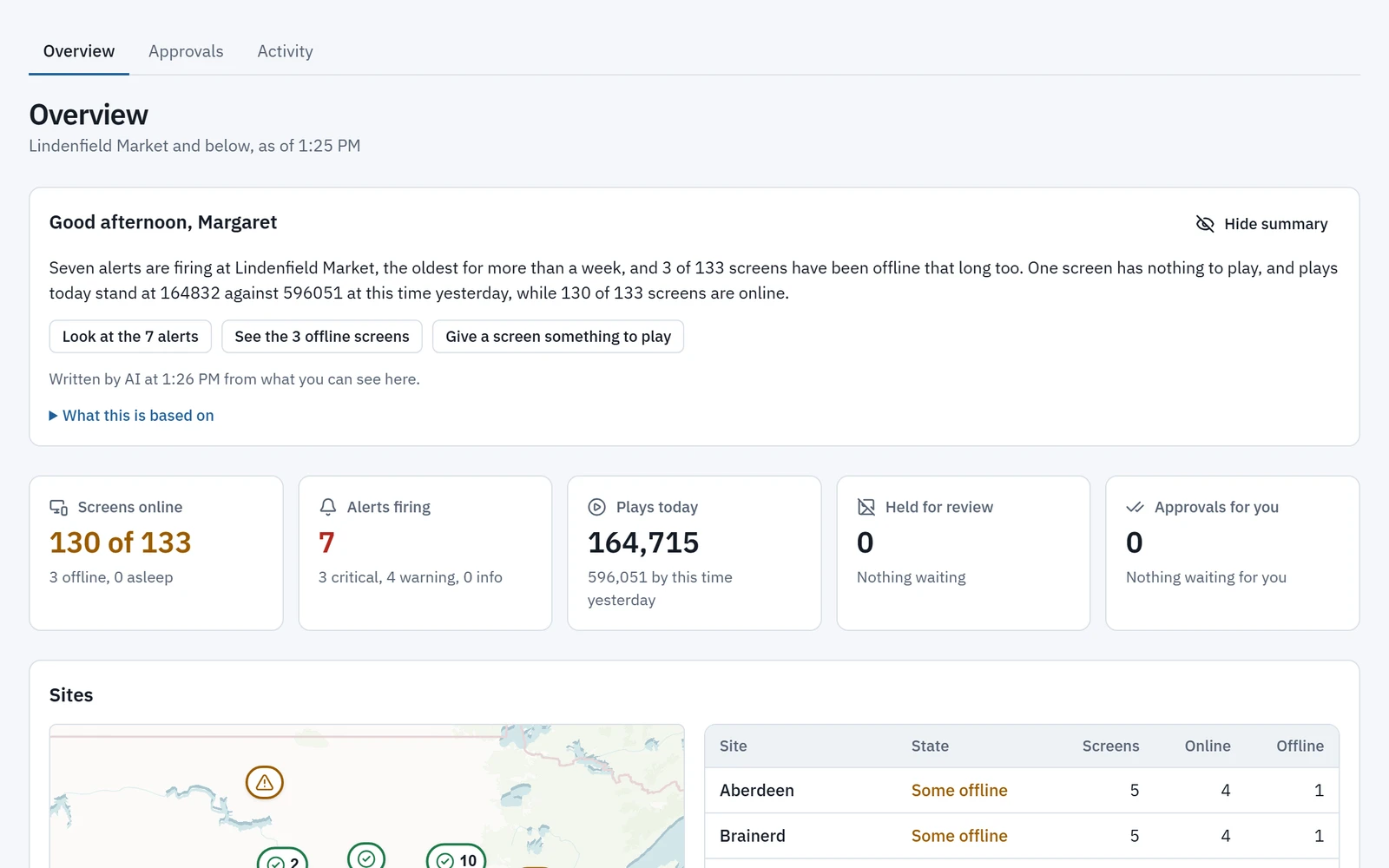
Home
Start the day with what needs you
Home opens with a few sentences, written by AI, on how things stand at your place, and up to three things to do first, each a link to where it is done.
- Written from what you may see, suggesting only what you may do, so an installer, a publisher and a billing admin each get their own.
- Drawn from screens offline or waiting for approval, alerts, approvals, held media, campaigns and media about to start or end, maintenance due, billing and plays.
- Written at your first visit of the day, and again when things change. Without AI, Wyndlass writes it from the same facts, and each person can hide it.
AI gets only those facts, with no tools, and its answer is checked before it is shown.
AI in the work
AI in the work, not beside it
Search by meaning
Find media by describing it, best match first.
Draft layouts
The designer’s assistant offers layouts, edits and the data tables they need.
Make pictures
Images from a prompt, in the shape you need, with the cost shown first.
Themes from a website
Wyndlass reads a site’s colours, fonts and logo for you to review.
Diagnose alerts
One click for the likely cause and a suggested fix.
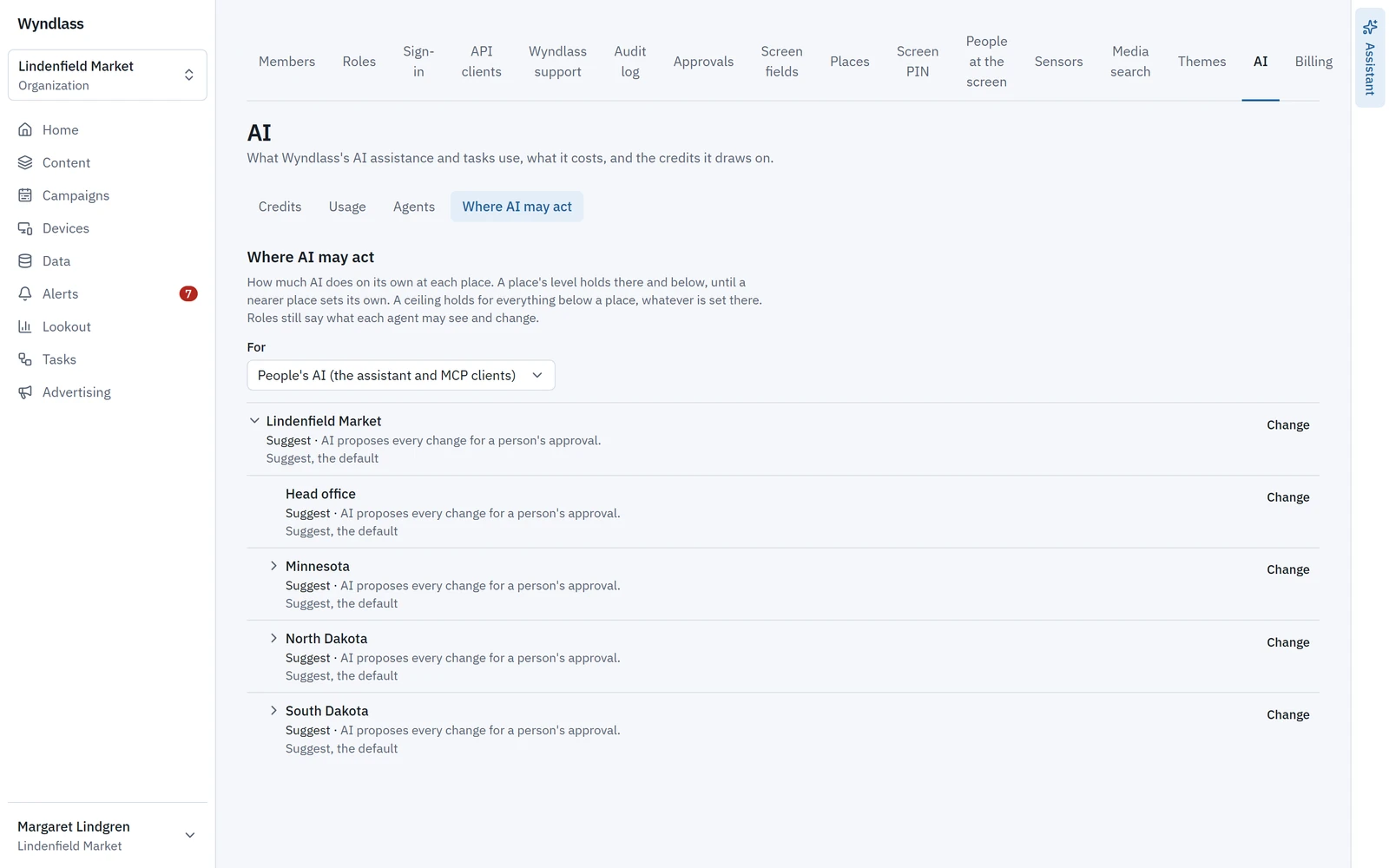
Where AI may act
You decide how far AI goes, place by place
For each place, choose how far AI may go and set a ceiling for everything below it. A preview shows what AI may do there before you save.
Observe
AI may look, never change.
Suggest
Every change AI makes on its own waits for a person’s approval. This is the default.
Co-pilot
Scoped changes run. Broad and irreversible ones wait for approval.
Autopilot
Scoped and broad changes run. Irreversible ones wait for approval.
AI assistant and agents: common questions
Can AI change our screens without approval?
Only as far as you allow. For each place you choose where AI may act, from Observe to Autopilot; Suggest, where every change AI makes on its own waits for approval, is the default. Irreversible changes always wait.
Whose permissions does the assistant use?
Yours. The assistant acts with the permissions of the person using it, never more, and a change it proposes waits for that person to confirm.
Can we teach the AI how we do things?
Yes, with skills: short guides your owners and admins write, such as your brand rules or how a price change is checked. The assistant, agents and connected AI tools follow a skill when the work matches it. A skill never widens what AI may do, and approvals still apply.
How is AI paid for?
Each plan includes a monthly AI allowance in AI credits, and owners can buy more or turn on auto-reload. Costs are shown before AI spends anything, and a usage page shows spending by day, purpose, model and person.
Can we use our own AI tools?
Yes. AI tools that speak MCP, such as Claude, connect through the Wyndlass MCP server, under the same permissions and limits.
See Wyndlass on your screens
Access is by invitation during launch. Tell us about your network and we will reply by email.