Illustrative scene, AI-generated
Universities, colleges and schools
Screens that keep up with campus life
Wyndlass agents publish news, events and notices across every building, build recurring content like event calendars and dining menus, and give each department its own screens, with approvals for campus-wide messages.
The challenge
Many screens, many owners
Departments, student services and facilities all run screens, and keeping them current is rarely anyone’s full-time job.
Many buildings, many teams
Departments, libraries, residence halls and student services each want their own screens and content.
The calendar never stops
Term dates, events, exams and breaks change what every screen should show.
Stale screens get ignored
An old event on a corridor screen teaches students to stop looking.
Oversight without a bottleneck
Communications teams need a say in what appears, without approving every department update themselves.
Campus communications
Reach the right buildings in one request
Tell an agent what to share. It finds the right screens by campus, building or department, builds the schedule and routes campus-wide messages for approval.
- Target content by campus, building, department or any property you track.
- Schedule announcements and campaigns for the right dates, and retire them on time.
- Give each department a space for its own news, within the limits you set.
Campus-wide messages can require approval from central communications before they go live.
You
Share the open house announcement on lobby and corridor screens in every building on the main campus, from Monday until the open house on Saturday.
Wyndlass agent
That’s 52 screens in 14 buildings. Campus-wide messages need approval from University Communications, so I’ve sent the request. It’s scheduled from 8:00 a.m. Monday and comes down after the open house.
- 14 buildings
- 52 screens
- Approval requested
Approval
L. Moreau (University Communications) approved the announcement. Scheduled. Rollback available.
Content and scheduling
Recurring content that follows the academic calendar
Agents build recurring content, like event calendars, dining menus and library hours, and schedule each item around term dates and breaks.
- Keep event calendars, dining menus and opening hours current from your data tables.
- Switch content for term time, exam periods and breaks with condition-based scheduling, not a list of dates.
- Triggered tasks update screens when a data table changes, such as a room change or an event that is called off.
Every automated change is audited and can be rolled back in one step.
- Academic periodisExam periodfrom an academic calendar data table
- Library hoursareExtendedfrom a data table
- BuildingisLibrary or student union
Instead of changing the screens by hand at the start of every exam period
Departments and identity
Every department in control of its own screens
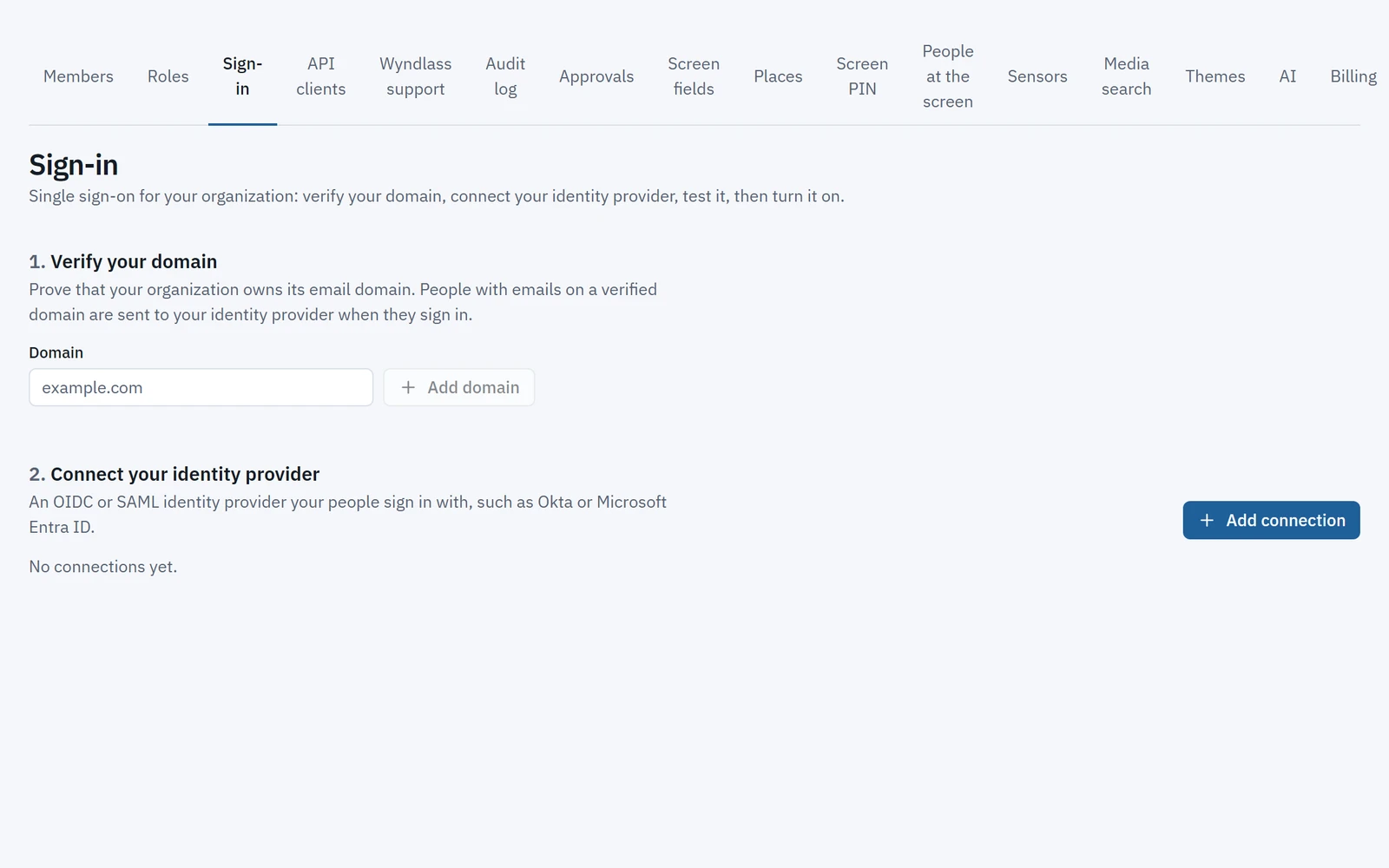
Sign in with your identity provider, give each campus, school and department its own space, and keep agents inside clear limits.
- SAML single sign-on with the identity provider you already use.
- Multi-level organizations for campuses, schools and departments, or for each school in a district.
- Fine-grained permissions for people and agents, with a full audit trail.
Departments change only their own screens, and campus-wide content stays with central communications.
Across campus
Every screen on campus
One platform for every area, each with its own content, rules and people.
Entrances and reception
Welcome visitors, share news and point the way.
Corridors and teaching buildings
Department news, events and room information where students pass.
Libraries and study spaces
Opening hours, study space notices and events, kept current by agents.
Dining halls and cafés
Menus, opening hours and campus events.
Residence halls and student services
Notices, support services and deadlines, where students live.
In control by design
Shared screens, clear ownership
The same controls that govern your people govern every agent.
Approvals for campus-wide messages
Announcements to the whole campus can wait for central communications to approve them.
Permissions by campus and department
Each team changes only its own screens. Agents only do what their role allows.
Single sign-on
SAML single sign-on with your identity provider, on plans that include enterprise identity.
A full audit trail, and rollback
See every change by people and agents, and undo any of it in one step.
Education: common questions
Can each department manage its own screens?
Yes. Organizations and fine-grained permissions give each campus, school or department its own screens and content, while central communications keeps oversight.
Can content follow the academic calendar?
Yes. Conditions and data tables switch content for term time, exam periods and breaks, and agents schedule recurring content around them.
Does Wyndlass work for school districts?
Yes. Multi-level organizations let a district manage shared content while each school runs its own screens, within the permissions you set.
Can Wyndlass display student information?
Wyndlass is built for signage content such as news, events and notices. Talk to us about your data requirements before planning to show any student information.
Is Wyndlass an emergency notification system?
No. Wyndlass is built for everyday campus content such as news, events and notices. Keep emergency notifications on the systems designed for them, and talk to us about how Wyndlass fits alongside them.
See Wyndlass across your campus
Access is by invitation during launch. Tell us about your network and we will reply by email.