Alerts and tasks
Problems found, explained and handled
Alert rules check your screens every minute. One click on Diagnose with AI asks the assistant for the likely cause and a suggested fix, from the screen’s history, a screenshot and what it is playing.
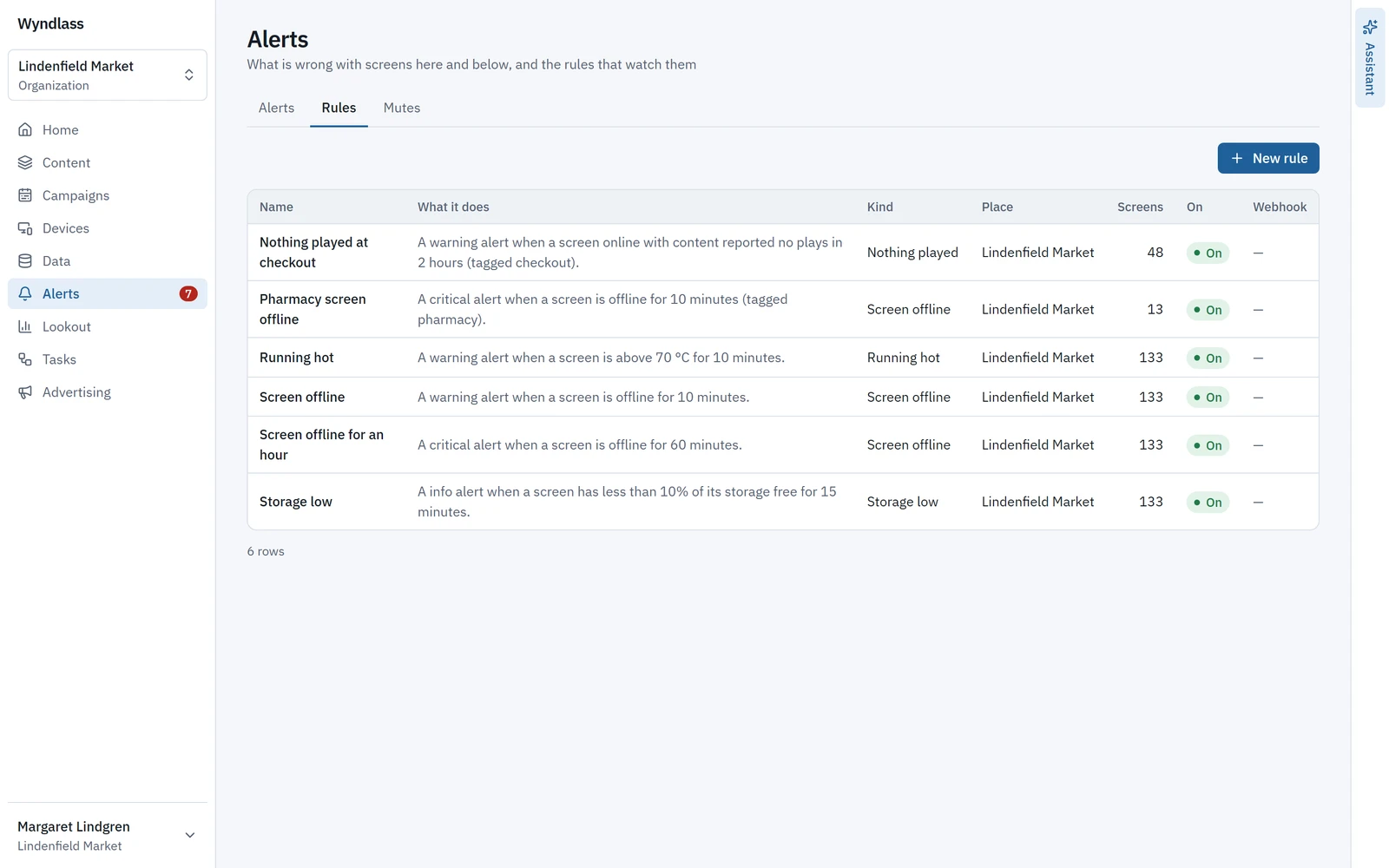
Alert rules
Rules that watch every screen
Each rule covers the screens under a place, optionally only some types or tags, and is checked every minute. Every organization starts with a Screen offline rule.
- Rules for a screen offline, low storage, running hot, content stuck, content rejected, nothing played and gaps in play.
- A site that loses its network raises one alert listing its screens, not a flood.
- While you edit a rule, Wyndlass says in a sentence what it will do and how many screens it covers now.
- Email to chosen people, a signed webhook per rule and a badge in the CMS. Snooze an alert, or mute a place or screen for planned maintenance, up to 30 days.
Any fix the assistant suggests waits for a person to confirm.
Tasks
Routine work that runs itself
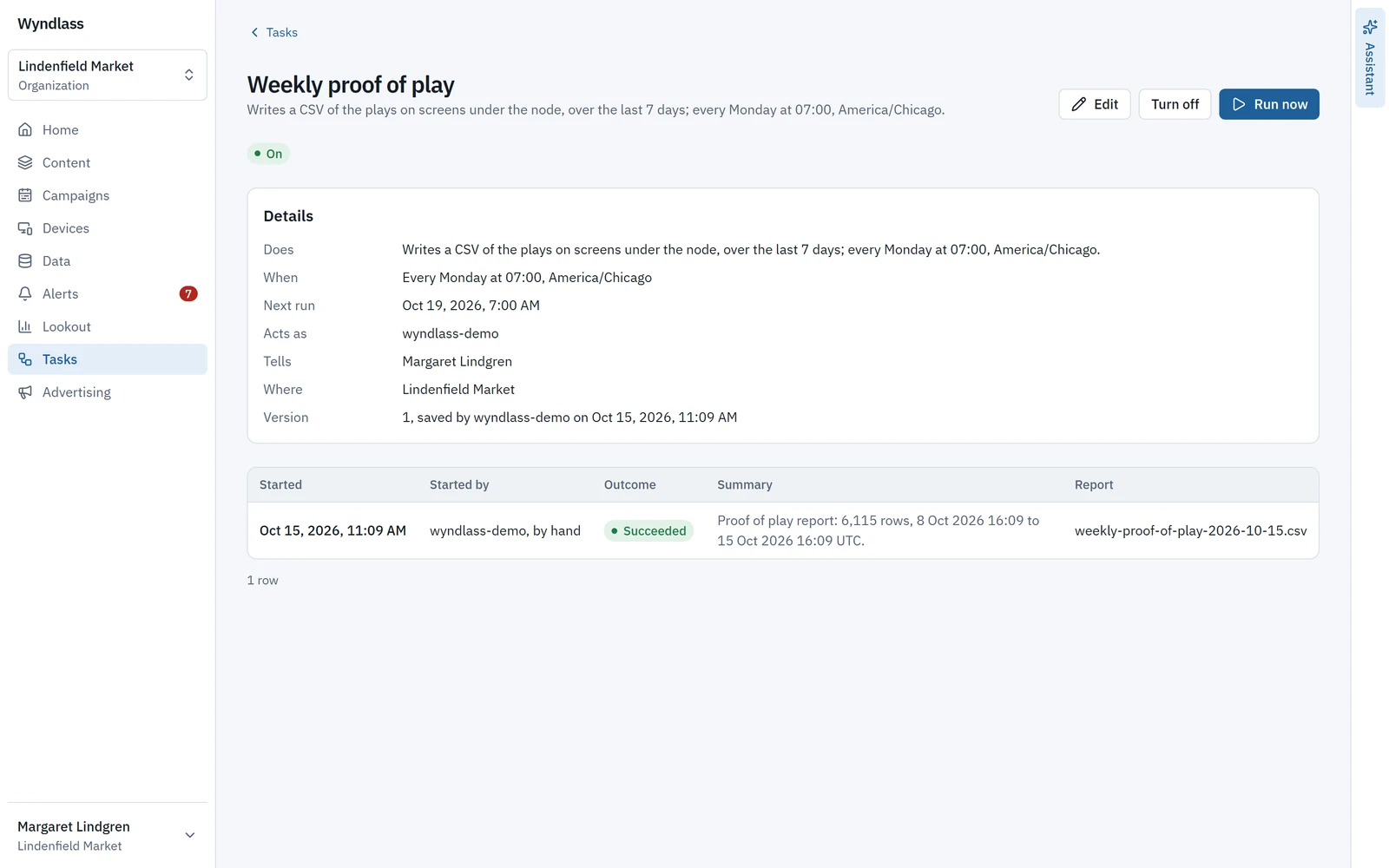
A task runs a command on screens or a campaign, a CSV report, or an AI agent’s prompt, when its trigger fires.
- Commands such as a nightly restart or pausing a campaign.
- CSV reports of proof of play, screen status, alert history, the audit log or ad delivery, sent by email or webhook with a download link.
- Triggers: a schedule in the place’s time zone (every day, weekdays, every few hours, a day of the month or a cron expression), an event, a signed webhook, another task finishing, or by hand.
- A task that runs an agent’s prompt can name up to five of your skills, and each run lists the skills it followed, with their versions.
Every run is recorded: what started it, whom it acted as, its outcome and each change it made.
Also included
Calm alerts, clear records
Snooze
For an hour, four hours, until 9:00 tomorrow in the site’s time zone, or a time you choose.
Mute for maintenance
Mute a place or a screen during planned work, for up to 30 days.
Rule preview
See what a rule will do, and how many screens it covers, before you save it.
Agent transcripts
For a task run by an agent, the people who manage the task can read its full transcript.
Signed webhooks
Each rule’s webhook has its own signing secret, and tasks can start from a signed webhook.
Alerts and tasks: common questions
What can alerts watch for?
A screen offline, low storage, running hot, content stuck, content rejected, nothing played and gaps in play, for the screens under a place, checked every minute.
Will a site outage flood us with alerts?
No. A site that loses its network raises one alert listing its screens, not one per screen.
Can AI fix problems on its own?
Diagnose with AI suggests the likely cause and a fix, and any fix waits for a person to confirm. Agents that run tasks act only as far as each place’s setting for where AI may act allows.
How are we notified?
By email to the people you choose, a signed webhook per rule and a badge in the CMS.
See Wyndlass on your screens
Access is by invitation during launch. Tell us about your network and we will reply by email.