Apps and data
Live content that keeps itself current
Place clocks, weather, news, calendars and more in any layout, or build your own app, and keep prices, menus and specials in data tables that decide what each screen shows.
Apps
Apps, placed like any other element
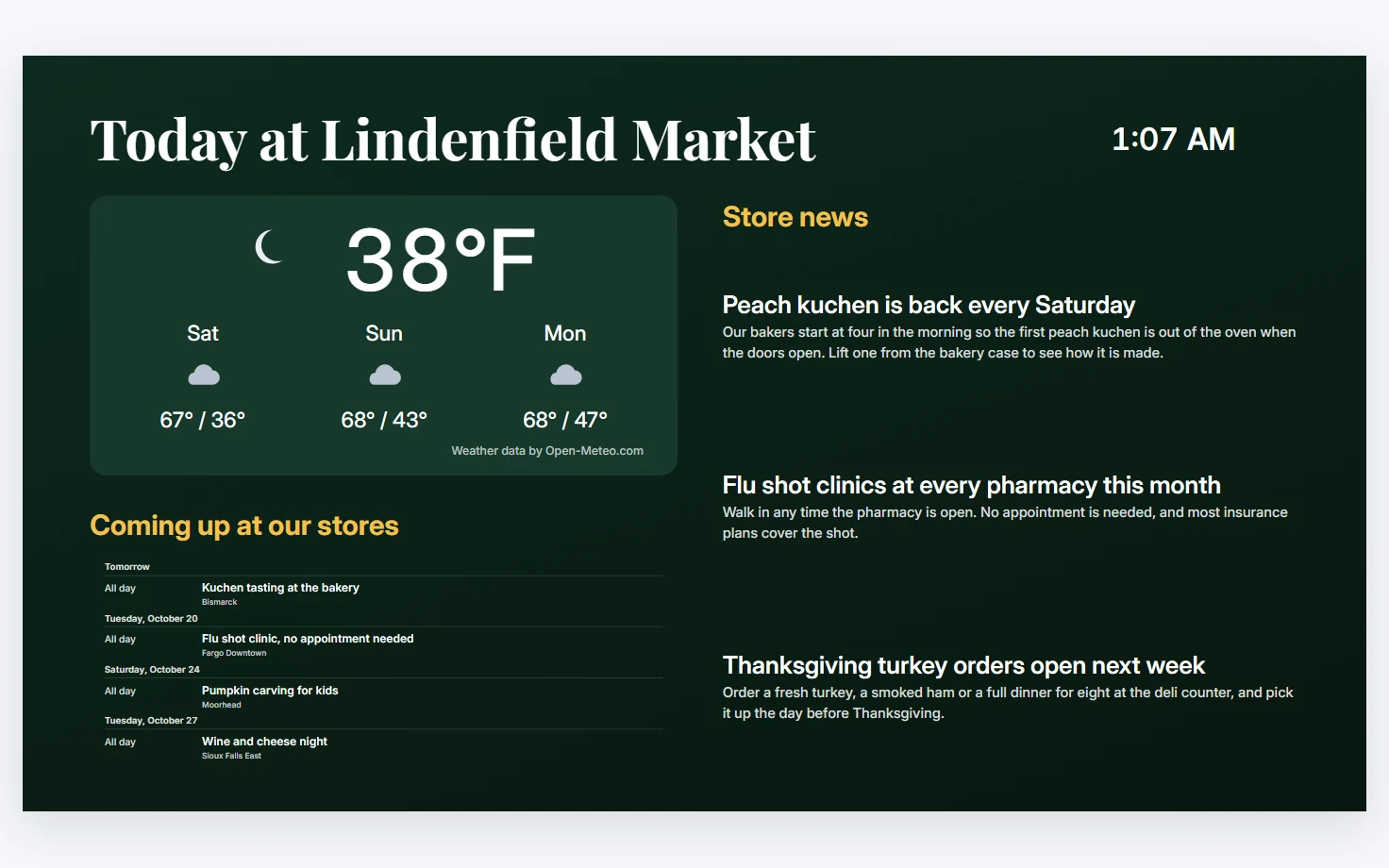
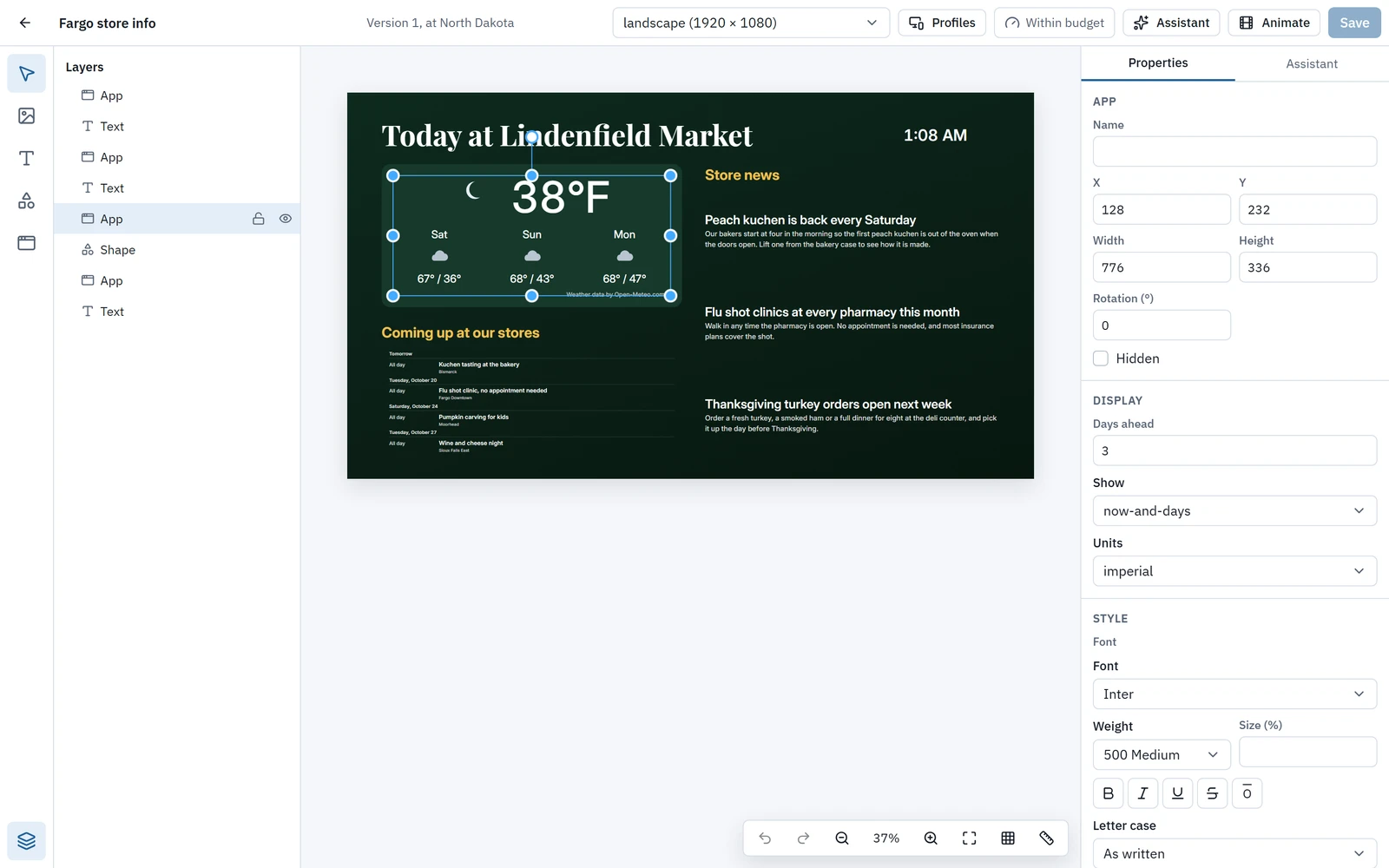
Apps are live elements in a layout, styled with the layout’s fonts and animated like everything else. They keep showing their last data when a screen is offline.
- Weather, news feeds and calendars come through Wyndlass’s own data service, so screens never hold provider keys and keep the last answer if a source fails.
- News offers about 50 checked feeds in five groups, or any feed address, in four layouts.
- Calendar reads a Google, Outlook or iCloud calendar’s iCal address, a data table or public holidays.
- Apps are released apart from the platform. The CMS says when an update is available, and a layout can stay on the version it was made with.
- New apps are published all the time, and you can build your own with the Wyndlass app SDK and a coding agent such as Claude Code.
Data tables
Data that fills in your content
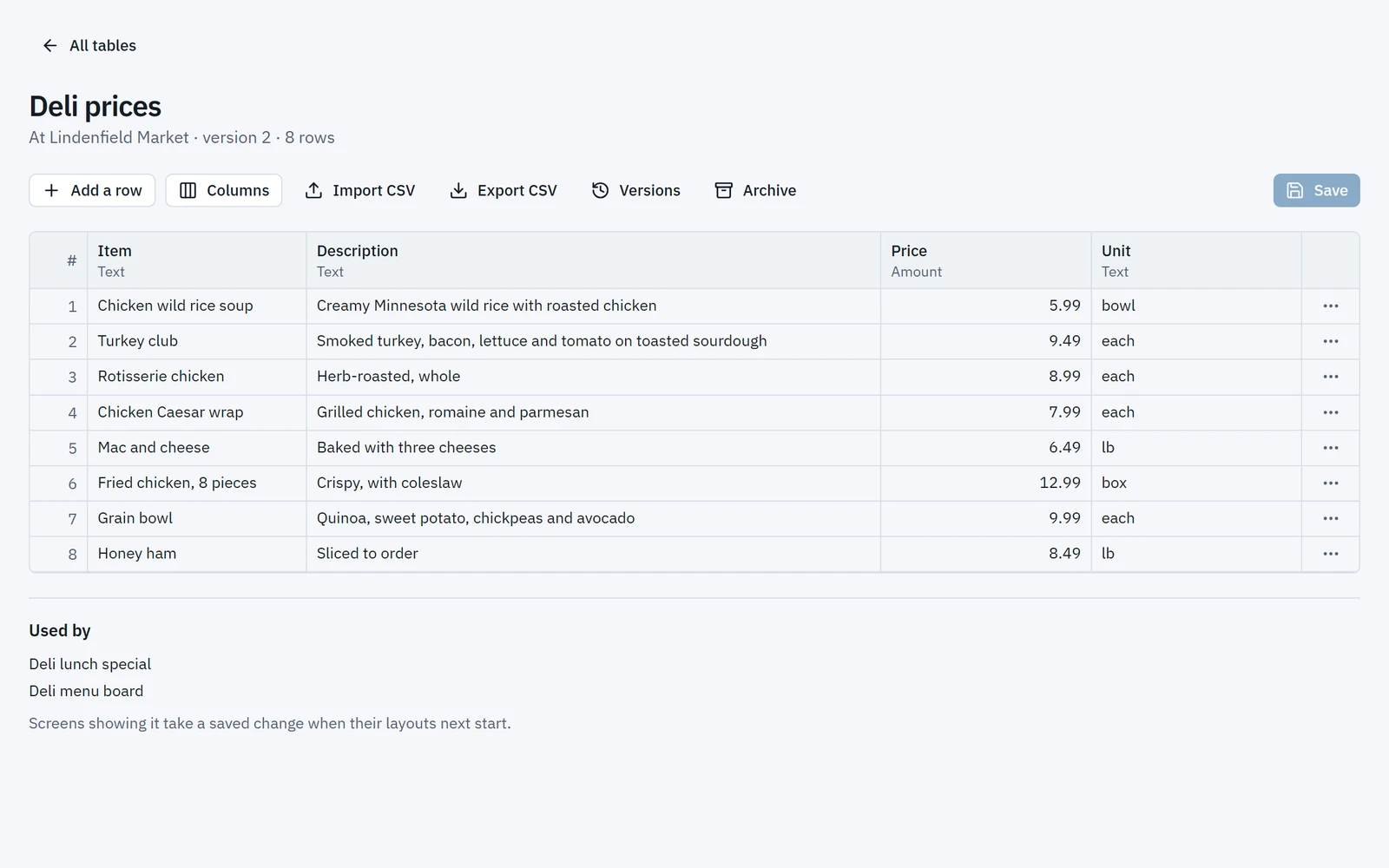
Keep prices, stock levels, menus and specials in data tables, edited in a spreadsheet-like grid you can drive from the keyboard.
- Typed columns and ordered rows, up to 50 columns and 5,000 rows a table.
- Import and export CSV, or let a system write rows through the API.
- Screens keep a snapshot of every table they use, so data-driven content keeps playing without a network.
- Give a team or a system read-only access to tables, or the right to write rows, and nothing else.
Every save is kept as a version, and data roles keep each team or system to what it may change.
Data-driven content
Let the data decide what plays
Show a table’s values in any text or app, or play an item only when a cell says so, such as a price, a stock level or a “today’s special” flag.
- Insert a cell’s value into text, so one layout shows the right price on every screen.
- Give a campaign or playlist entry a condition on a table’s value.
- The Data view app shows a table’s rows as a grid or a list, paged.
- Special availableisYesfrom a menu data table
- Time of dayis between11:00 and 15:00
Instead of changing the board by hand every morning
The apps
Live content, ready to place
The apps available today. New ones are published all the time, and you can build your own with the Wyndlass app SDK.
Clock
The time and date, digital or analog, in the screen’s time zone or another.
Weather
Now and the days ahead, for the screen’s place or another, in metric or imperial.
News
A feed’s headlines with pictures, as a list, a feature, cards or headlines.
Ticker
A line of text, or a feed’s headlines, scrolling across the screen.
Calendar
Events as an agenda, a room’s now and next, a day, a week or a month.
Countdown
The time left to a moment, and what to show after it.
Data view
A data table’s rows as a grid or a list, paged.
QR code
A QR code for a link or text, with a caption.
Apps and data: common questions
Which apps are included?
Clock, Weather, News, Ticker, Calendar, Countdown, Data view and QR code are available today, and new apps are published all the time. Each is placed in a layout like any other element.
Can we build our own apps?
Yes. Describe the app to Claude Code or another coding agent, and with the Wyndlass app SDK’s skill it builds the app with you and imports it through the MCP server. A person approves each version before any screen plays it.
Do apps and data work offline?
Yes. Apps keep showing their last data when a screen is offline, and screens keep a snapshot of every data table they use.
How do we get our data into Wyndlass?
Edit tables in the grid, import a CSV file, or give a system the right to write rows through the API with a data role.
Can a layout stay on an older version of an app?
Yes. Apps are released apart from the platform, and the CMS says when an update is available. A layout can stay on the version it was made with.
See Wyndlass on your screens
Access is by invitation during launch. Tell us about your network and we will reply by email.