News & Announcements
Introducing Wyndlass
Wyndlass is a new, AI-first digital signage platform. Instead of wrestling with calendars and playlists, you tell your screens what to do, from our app or from the AI tools you already use.
Mike Tinnes4 min read
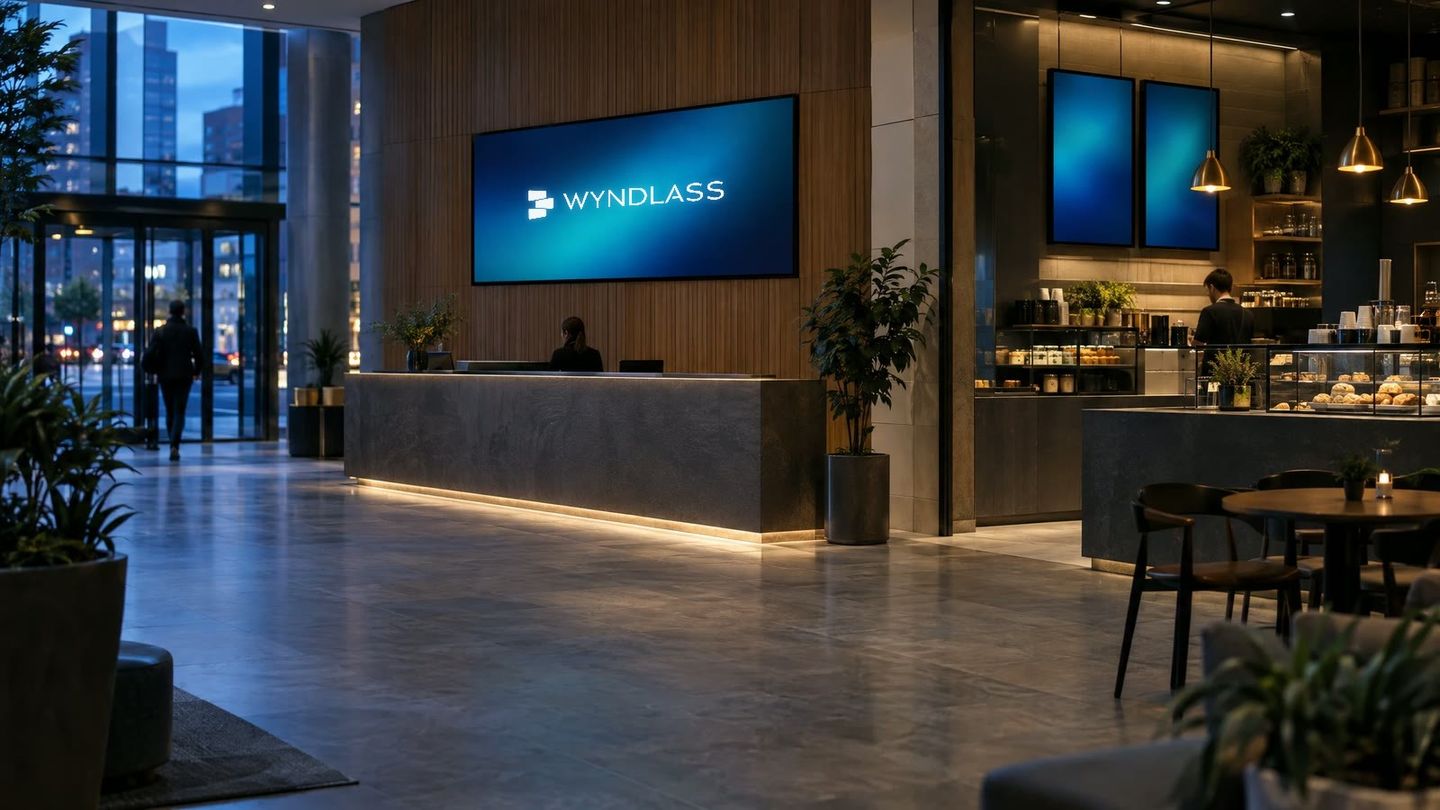
Signage software stopped evolving. The screens didn't.
There is no shortage of digital signage CMSs. Most of them look and work the same way: upload media, drag it into a playlist, attach the playlist to a calendar, push it to a screen. That model made sense fifteen years ago, when a screen was a looping slideshow on a wall.
Screens today show live data, react to conditions, run on everything from video walls to ePaper, and are managed by teams who don't want to live inside another admin console. Yet most platforms have simply added menus to the same calendar-and-playlist core. The result is software that is powerful on paper and tiring in practice.
We built Wyndlass because we think signage deserves a fresh start, not another layer of features.
What Wyndlass is
Wyndlass is an AI-first digital signage platform, built from scratch on current technology. It covers the whole stack: a cloud platform for content, data and devices, and players for Android screens today, including the Amazon Signage Stick, with Windows and Linux coming next.
The idea is simple. You should be able to tell your signage what you want, and have it happen. Not hunt through screens of settings to make it happen yourself.
How Wyndlass is different
AI is the front door, not a feature
Most platforms bolt an AI button onto an old interface. In Wyndlass, AI is where you start. Home opens with a plain-language summary of your network, written by AI: what's playing, what's offline, what needs attention, and up to three suggested next steps.
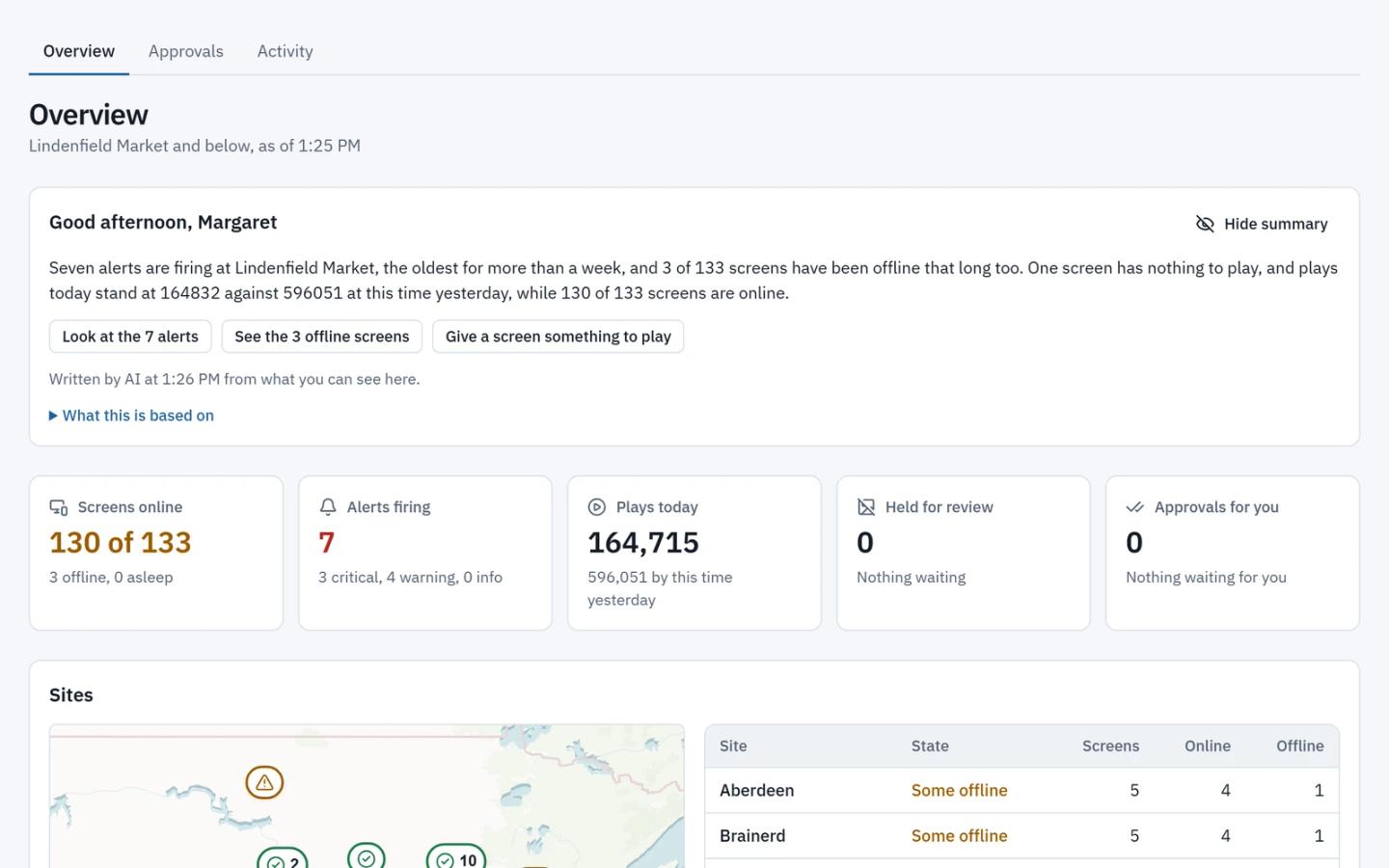
An assistant sits on every page, so you can simply ask for what you want. "Make a lobby sign for our open roles." "Fade in the title, then the rest." "Which screens dropped offline last night?"
Everything AI produces is visible and editable. A generated layout is a real layout you can open and change. A scheduling request comes back as a set of changes you review and accept. Nothing happens behind a curtain.
You may never need to open the CMS
Wyndlass exposes its core functionality through the Model Context Protocol (MCP). That means the AI tools your team already uses can manage your signage directly: create content, update data, check device health, change what plays where.
The web app is there when you want it. It just isn't required for day-to-day work. MCP access is included on the Growth and Enterprise plans.
Campaigns, not calendars
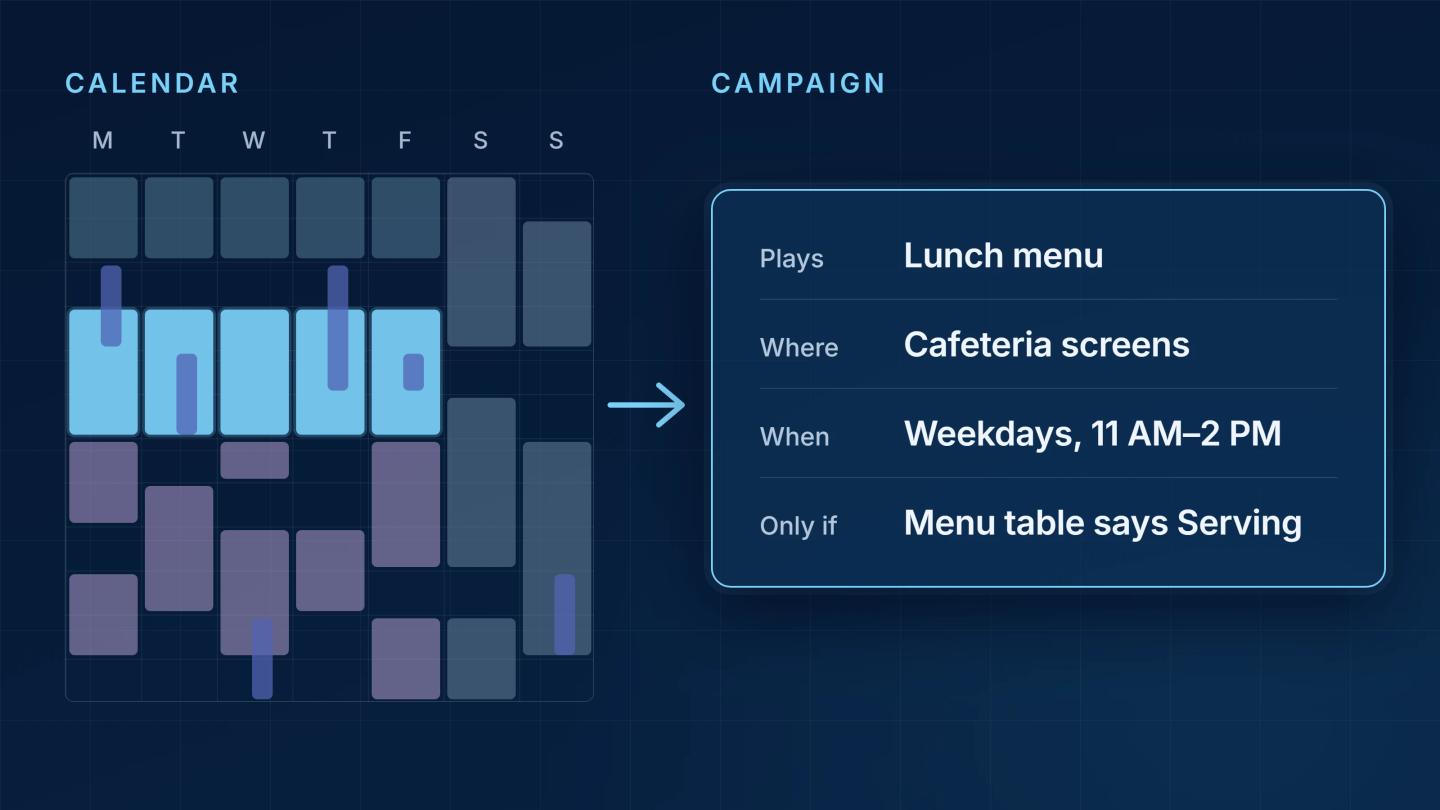
Traditional scheduling asks you to paint content onto a calendar. Wyndlass replaces that with Campaigns: rules about what plays, when and where, driven by conditions. Weekdays only. Only while the menu table says Serving. Only on screens in this region. You describe the logic once, and the schedule builds itself.
Live data built in
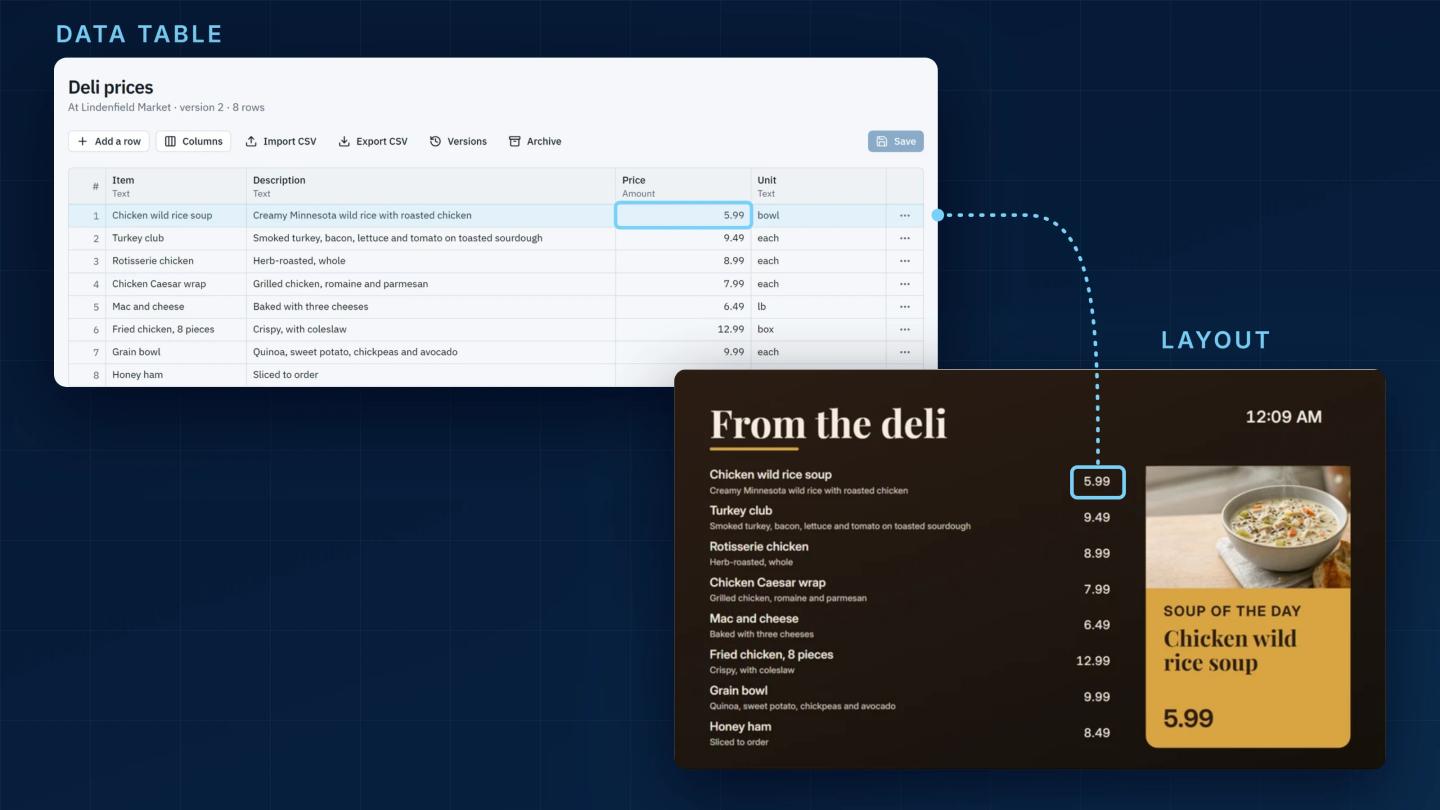
Data Tables are part of the platform, not an add-on. Import a CSV, or write rows through the API or MCP, and bind them to any layout. When a row changes, menus, job boards, KPIs and room schedules pick it up the next time their layout starts, with no redesign and no re-publishing. Live connectors to other data sources are next.
A designer with fewer tools, not more
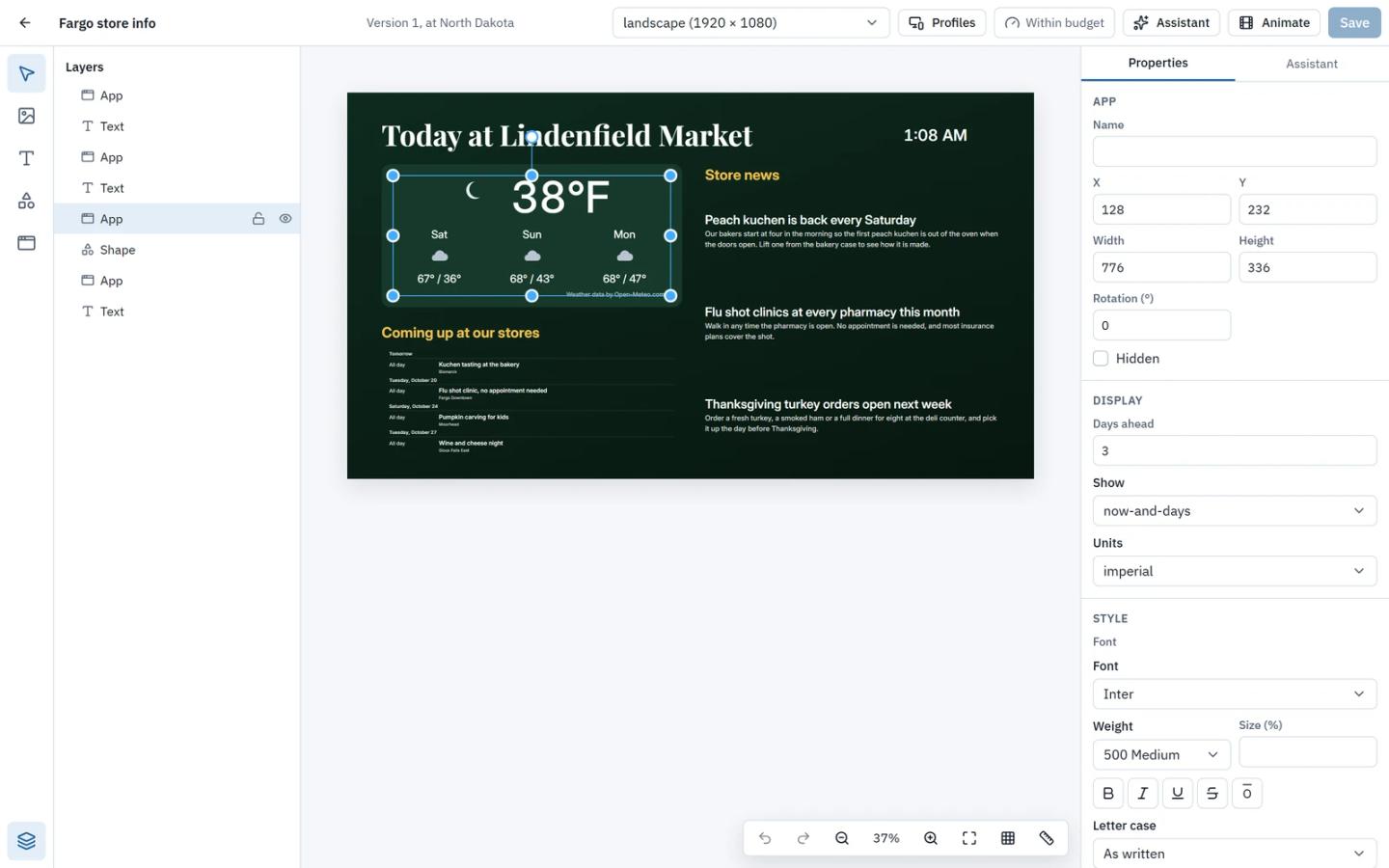
The Wyndlass designer has four tools: Library, Text, Shape and App. Everything else lives in a contextual panel that only shows what applies to what you've selected.
That restraint is deliberate. Animation, brand kits and data binding are all there when you want them, and invisible when you don't. A simple sign stays simple to build. Layouts are also first-class content: schedule one directly, or drop it inside another layout.
Apps on open web standards
Clocks, weather, tickers, QR codes and data grids are apps built as standard web components. They're light and portable, and each one adds its own settings to the designer, right alongside its position and size.
Screens that respond
Not every change should wait for a schedule. On Android players, Wyndlass connects sensors and motion beacons as inputs. When someone picks up a product, presses a button or walks past a beacon, the screen switches to the content tied to that input.
Who it's for, and how to get in
Wyndlass is for teams who run screens as part of their job, not as their job. Retail, workplaces, hospitality, healthcare, campuses: anywhere content needs to be current and the people managing it are busy.
You can start free on up to three screens, then grow per device as your network does. Enterprise features like organizational hierarchies, brand kits and advanced controls are there when you need them.
We're opening Wyndlass by invitation first, so we can work closely with our earliest customers. Request an invite at wyndlass.ai, and tell us what your screens should be doing. We'd love to show you.